9 Operation
27
If a probe’s individual readings are hidden, these settings are stored on the testo
400 specifically for each probe and applied to all application menus. Whereas
the units set are only stored in the corresponding application menu, but are
time-independent.
The measuring mode can be set via the configuration menu . Confirm the
selection via Apply configuration (see Section 9.3.2).
You can choose between the individual application menus:
Application menus Continuous Punctual IAQ data
logger
Discomfort level measurements
9.3.2 Measuring mode
9.3.2.1 Punctual measurement
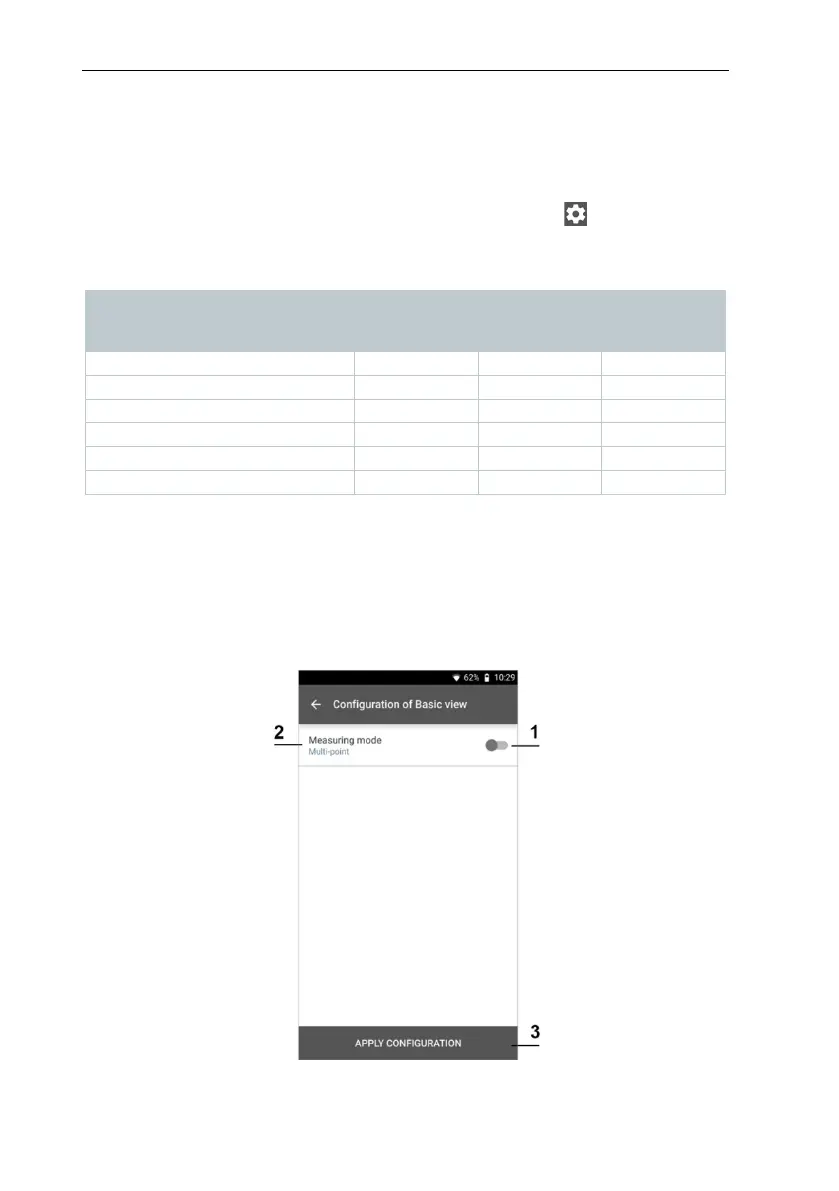
In the first line of the configuration menu, you can choose between Punctual
and Continuous (1). The text under Measuring Mode changes depending on
your selection (2). Click on Apply Configuration (3) to start the measurement.



 To Next Page