9 Operation
29
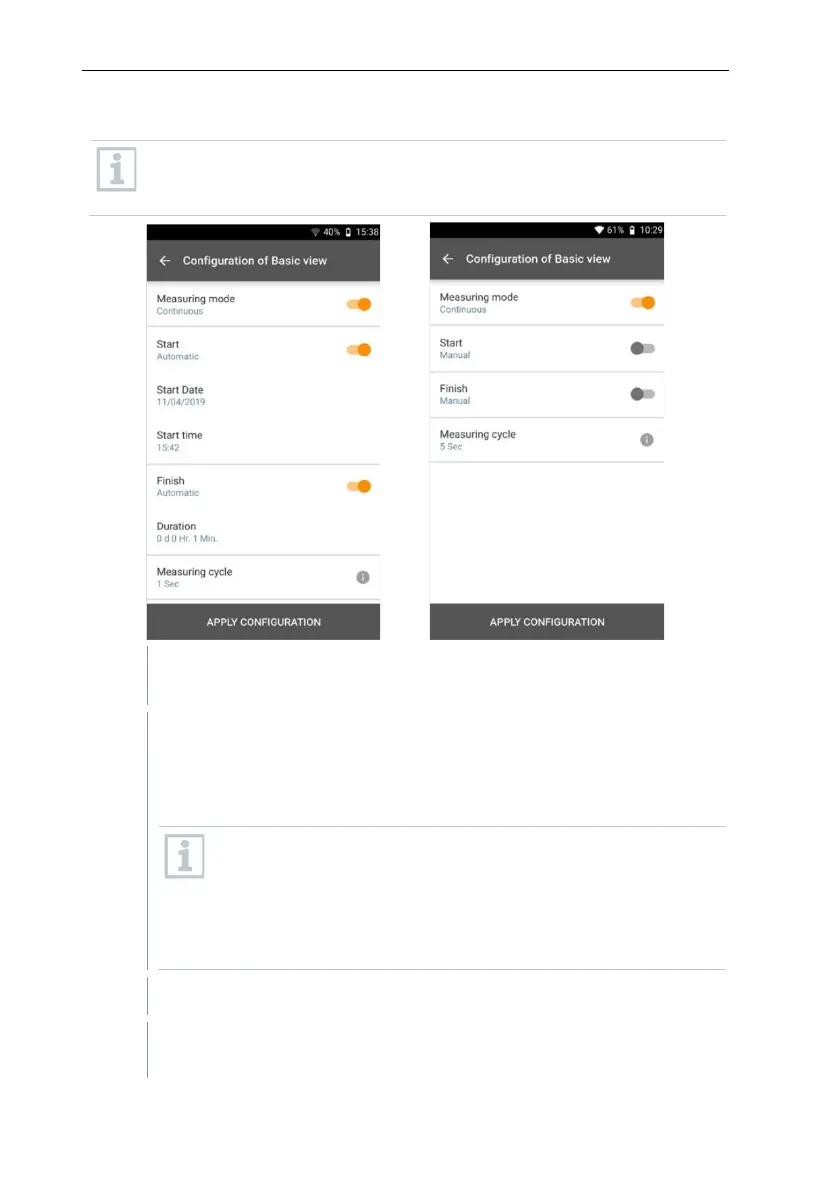
9.3.2.2 Continuous measurement
For the continuous measurement, a start time, a measurement duration
and a measuring cycle can be defined or the measurement can be
started and finished manually.
Click on Apply Configuration to start the measurement (with a
scheduled start time).
Click on Start or the measurement starts automatically at the
configured time.
The measurement starts, all selected readings are recorded, the
counter changes colour from grey to orange and starts running.
Option A: Once the settings have been accepted and the
measurement has started, the counter in the upper section
turns orange and runs backwards to 00:00:00.
Option B: Once the settings have been accepted and the
measurement has started, the counter in the upper section
turns orange and starts running from 00:00:00.
Click on Stop to pause or exit the measurement.
The measurement pauses. The counter is grey. There are 3 options to
continue.



 To Next Page