9 Operation
33
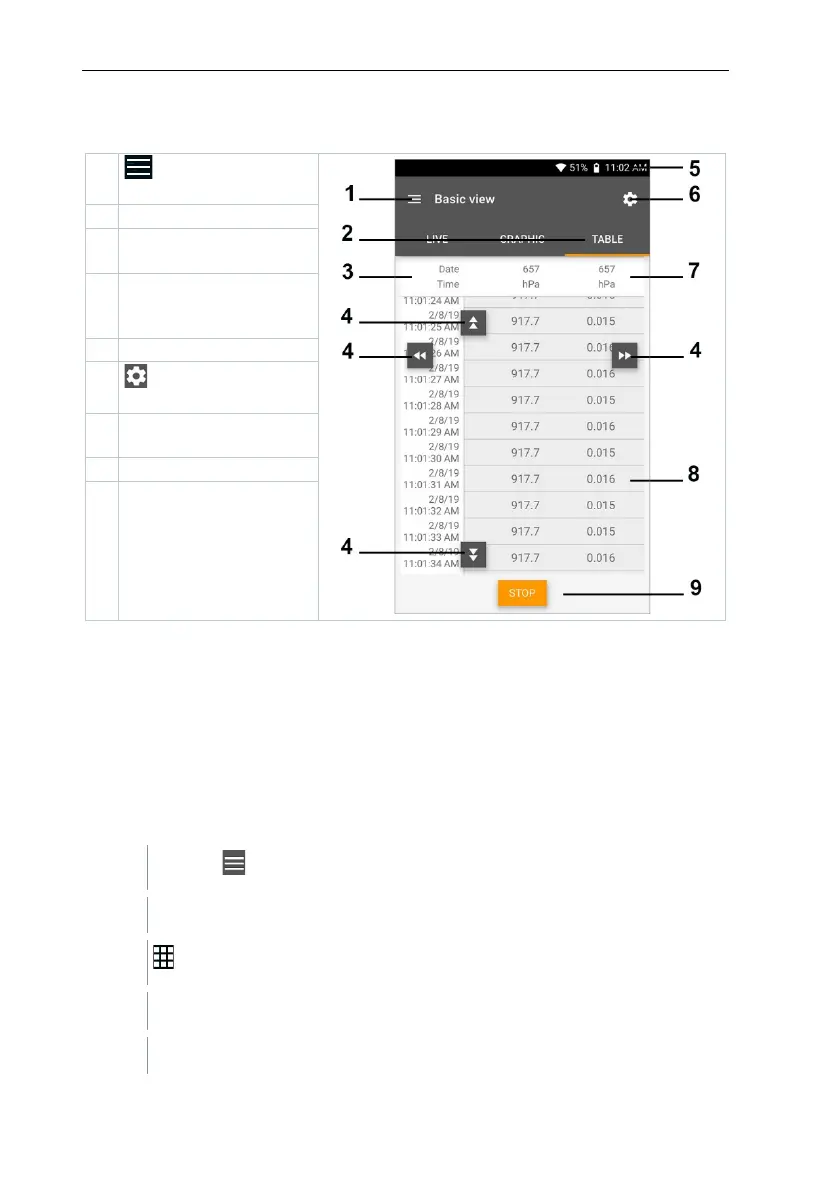
9.4.1.2 Table view
Open the main
Column with date and
time
directly to the end of
6
Open the
Probe ID -
measurement unit
Save button
9.4.2 Volume flow, duct
Use this application to measure the volume flow in a ventilation system duct.
There are various options for this, which differ mainly in terms of the measuring
range and the required probes:
• Thermal flow velocity probes for low flow velocities
• 16 mm vane probe for medium flow velocities
• Pitot tube for measurements at high velocities and in heavily contaminated
flows with a high particle content
Click on .
Main menu opens
Click on Measure.
Click on Volume flow, duct.
The Volume flow, duct measurement menu opens.



 To Next Page