ToconnectaDVImonitor,dothefollowing:
1.Turnoffthecomputer.
2.ConnecttheDVImonitortotheDVIconnector.Thenconnectthemonitortoanelectricaloutlet.
3.TurnontheDVImonitorandthenthecomputer.
8VGAconnector:ConnectthecomputertoaVGA-compatiblevideodevice,suchasaVGAmonitor.
9Audioconnector:Connectheadphonesoraheadsetwitha3.5-mm(0.14-inch),4-poleplug.
10Security-lockslot:Toprotectyourdockingstationfromtheft,lockyourdockingstationtoadesk,table,
orothernon-permanentfixture.Useasecuritycablelockthatfitsthissecurity-lockslot.
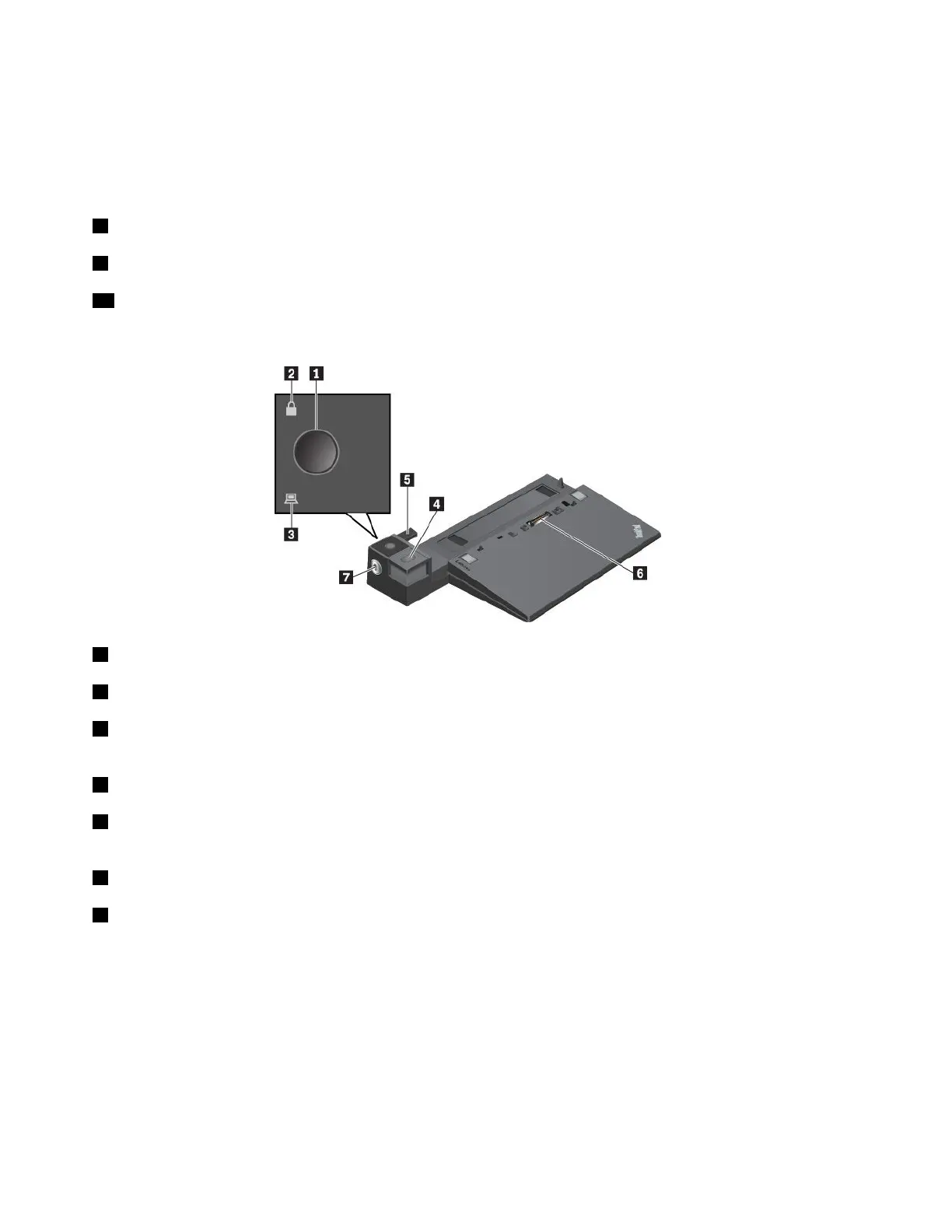
ThinkPadUltraDock
1Powerbutton:Pressthepowerbuttontoturnonorturnoffthecomputer.
2Keylockindicator:Thisindicatorturnsonwhenthesystemlockkeyisinthelockedposition.
3Dockingstatusindicator:Thisindicatorturnsonwhenthecomputerisattachedtothedocking
stationproperly.
4Ejectbutton:Presstheejectbuttontoreleasethecomputerfromthedockingstation.
5Slidingadjuster:Usetheslidingadjusterasaguidetoalignthedockingstationconnectoronyour
computerwhenyouattachthedockingstation.
6Dockingstationconnector:Connectthedockingstationtothecomputer.
7Systemlock:Usethesystemlocktolockorunlocktheejectbutton.
•Whenthesystemlockisinthelockedposition,theejectbuttonislocked,andyoucannotattachor
detachyourcomputer.
•Whenthesystemlockisintheunlockedposition,theejectbuttonisunlocked,andyoucanattachor
detachyourcomputer.
42T470UserGuide



 To Next Page