5.SelectYesintheSetupConfirmationwindow.Thebuilt-inbatteryisdisabledandthecomputerturnsoff
automatically.Waitthreetofiveminutestoletthecomputercool.
Replacingthekeyboard
Beforeyoustart,printtheseinstructions.Readtheimportantsafetyinformationfirst.See“Important
safetyinformation”onpagevi.
Note:Dependingonthemodel,yourcomputermightlookslightlydifferentfromtheillustrationsinthistopic.
Removingthekeyboard
Toremovethekeyboard,dothefollowing:
Note:Yourcomputermightlookdifferentfromtheillustrationsinthistopic.
1.Disablethebuilt-inbattery.See“Disablingthebuilt-inbattery”onpage107.
2.Disconnecttheacpoweradapterandallcablesfromthecomputer.Waitseveralminutestoletthe
computercool.
3.Closethecomputerlidandturnthecomputerover.
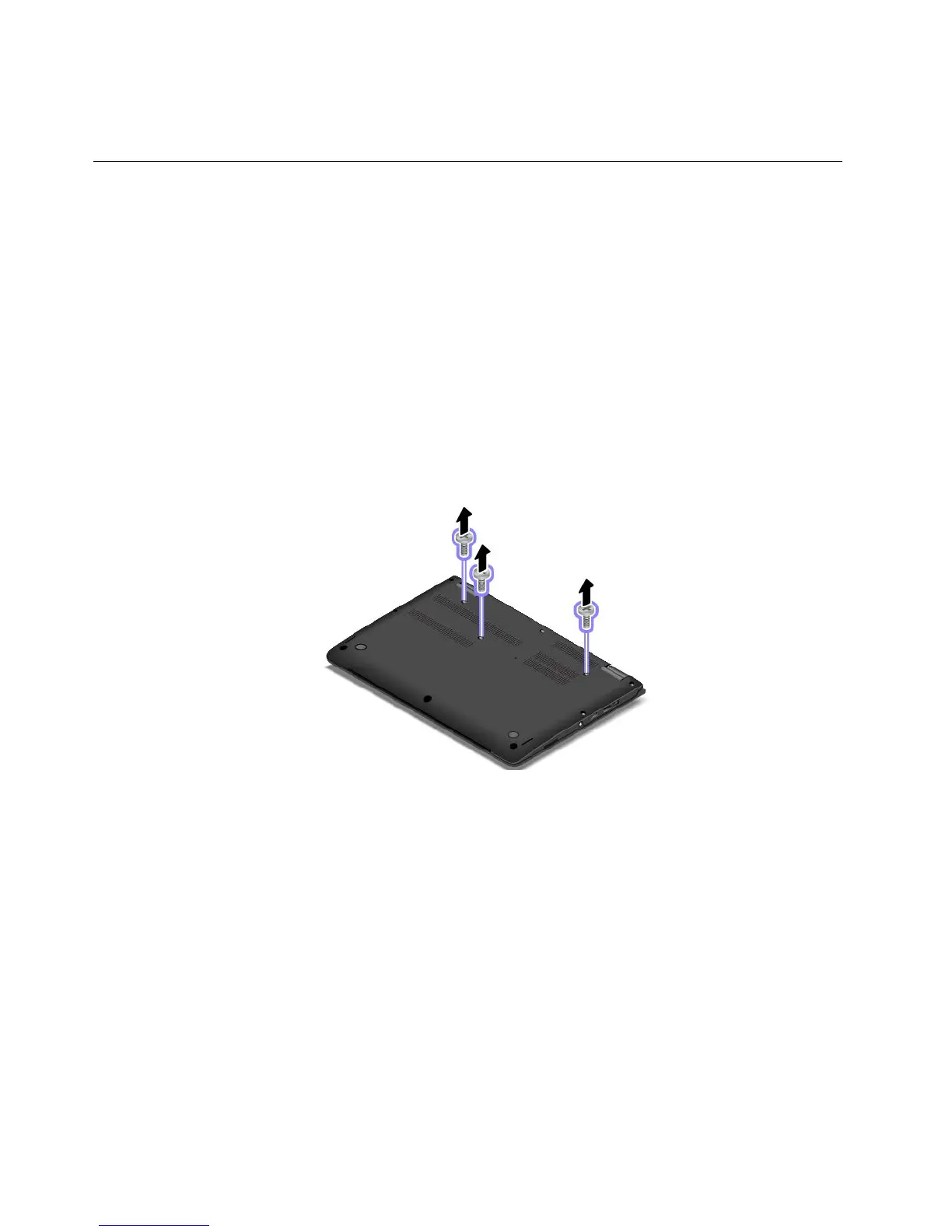
4.Removethescrewsthatsecurethekeyboard.
108UserGuide



 To Next Page