FortheWindows7operatingsystem,dooneofthefollowingtoenabletheoperatingmodes:
•WhenyouentertheWindows7operatingsystemforthefirsttime,theEnablesensorswindowis
displayed.ThenclickEnablethissensor.
•GotoControlPanel.ClickAllControlPanelItems➙LocationandOtherSensors.Thenselectthe
checkboxforSTMicroelectronicsSensorHub.
For the Windows 8.1 operating system, the operating modes are enabled by default.
Rotatingthecomputerdisplay
ThistopicprovidesinstructionsonhowtorotatethedisplayofyourThinkPadYoga
®
14computerproperly.
Thistopicalsoprovidesinformationontheoperatingmodesofyourcomputerandcorrespondingdisplay
angleranges.
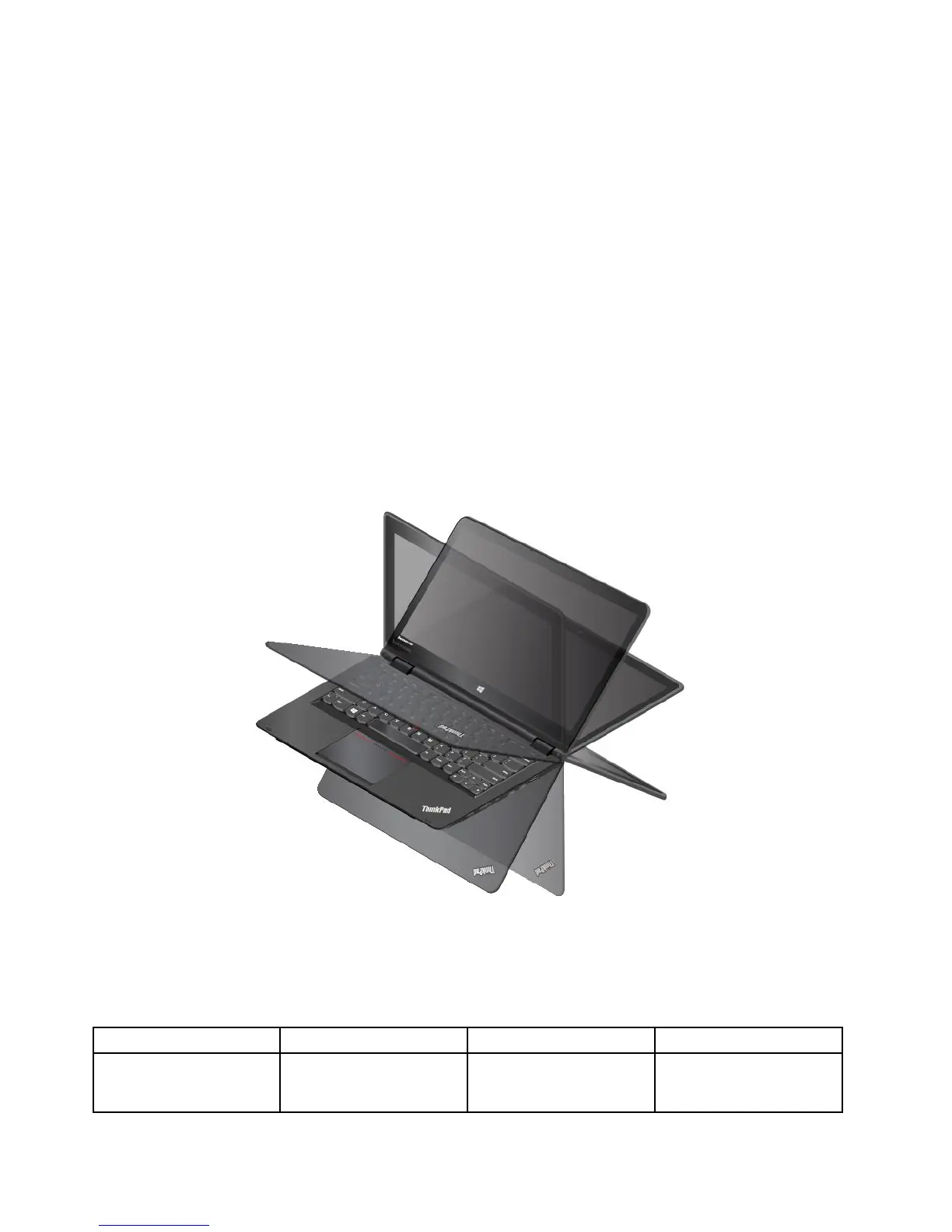
Youcanopenthecomputerdisplaytoanyanglewithinarangeofupto360degreesasshowninthe
followingillustration.
Attention:Donotrotatethecomputerdisplaywithtoomuchforce,otherwisethecomputerdisplay
orhingesmightgetdamaged.Donotapplytoomuchforcetotheupper-rightorupper-leftcornerof
thecomputerdisplay.
Displayangleforeachoperatingmode
Theanglebetweenthefrontofthecomputerdisplayandthekeyboardisdifferentineachoperatingmode.
Thefollowingtableliststheanglerangeforeachoperatingmode.
Table2.Displayangleforeachoperatingmode
Notebookmode
Standmode
TabletmodeTentmode
nomorethan190degreesmorethan190degreesand
lessthan350degrees
360degreesnolessthan270degrees
andnomorethan340
degrees
24UserGuide



 To Next Page