Attention:Beforeyoustartinstallingamemorymodule,touchametaltableoragroundedmetalobject.This
actionreducesanystaticelectricityfromyourbody.Staticelectricitycoulddamagethememorymodule.
Replacingthememorymodule
Toreplacethememorymodule,dothefollowing:
1.Disablethebuilt-inbattery.See“Disablingthebuilt-inbattery”onpage107.
2.Closethecomputerdisplay,andturnthecomputerover.
3.Removethebasecoverassembly.See“Replacingthebasecoverassembly”onpage112.
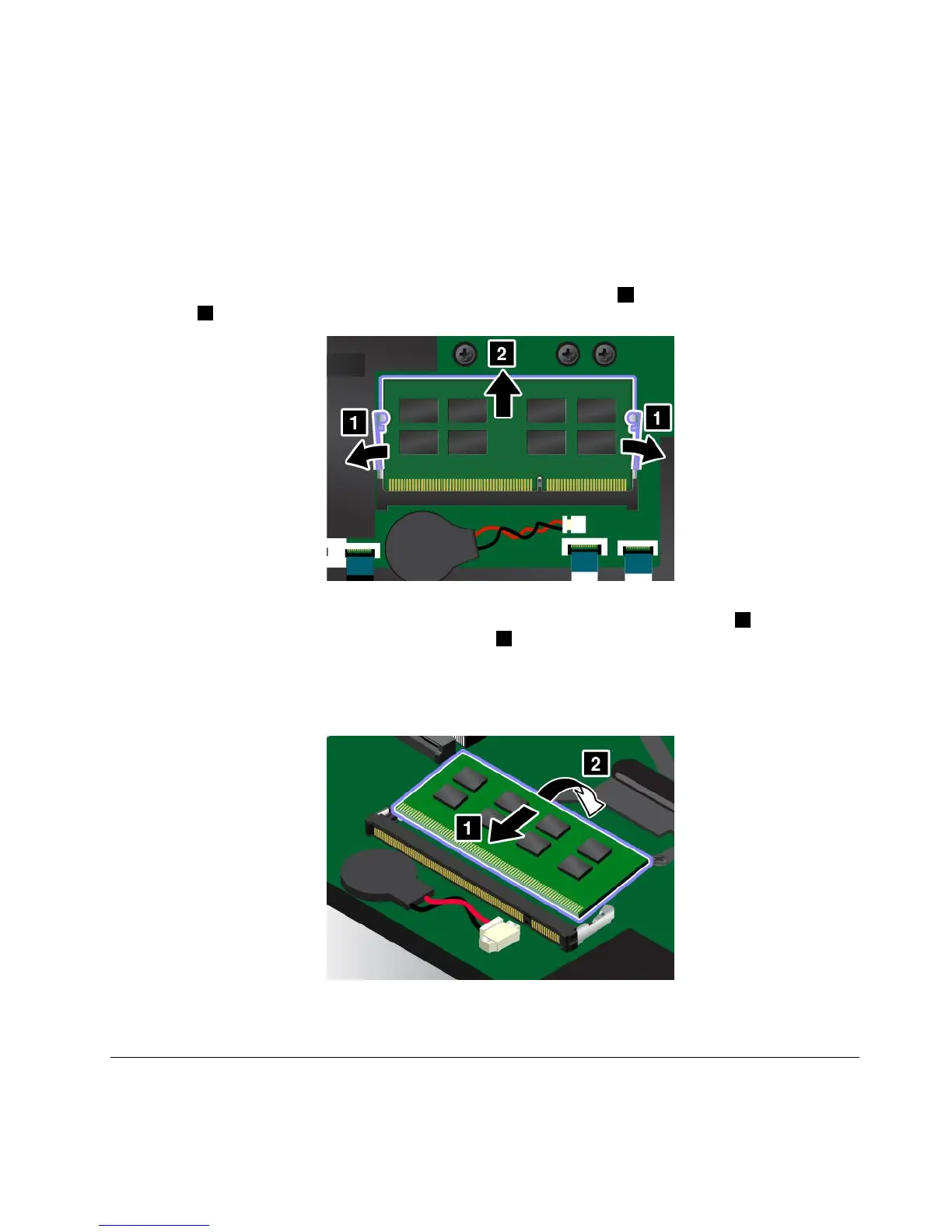
4.Openthelatchesonbothsidesofthememoryslotatthesametime1,andthenremovethememory
module2.
5.Placethenotchedendofthenewmemorymoduletowardthecontactedgesideofthememoryslot,
andinsertthememorymoduleintothememoryslotatanangleofabout20degrees
1.Pivotthe
memorymoduledownwarduntilitsnapsintoplace2.Ensurethatthememorymoduleisfirmlyinstalled
inthememoryslotandcannotbemovedeasily.
Attention:Donottouchthecontactedgeofthememorymodule.Otherwisethememorymodule
mightbedamaged.
6.Reinstallthebasecoverassembly.
7.Turnthecomputeroveragain.Connecttheacpoweradapterandallcablestothecomputer.
Replacingthestoragedrive
Beforeyoustart,printtheseinstructions.Readtheimportantsafetyinformationfirst.See“Important
safetyinformation”onpagevi.
Chapter9.Replacingdevices115



 To Next Page