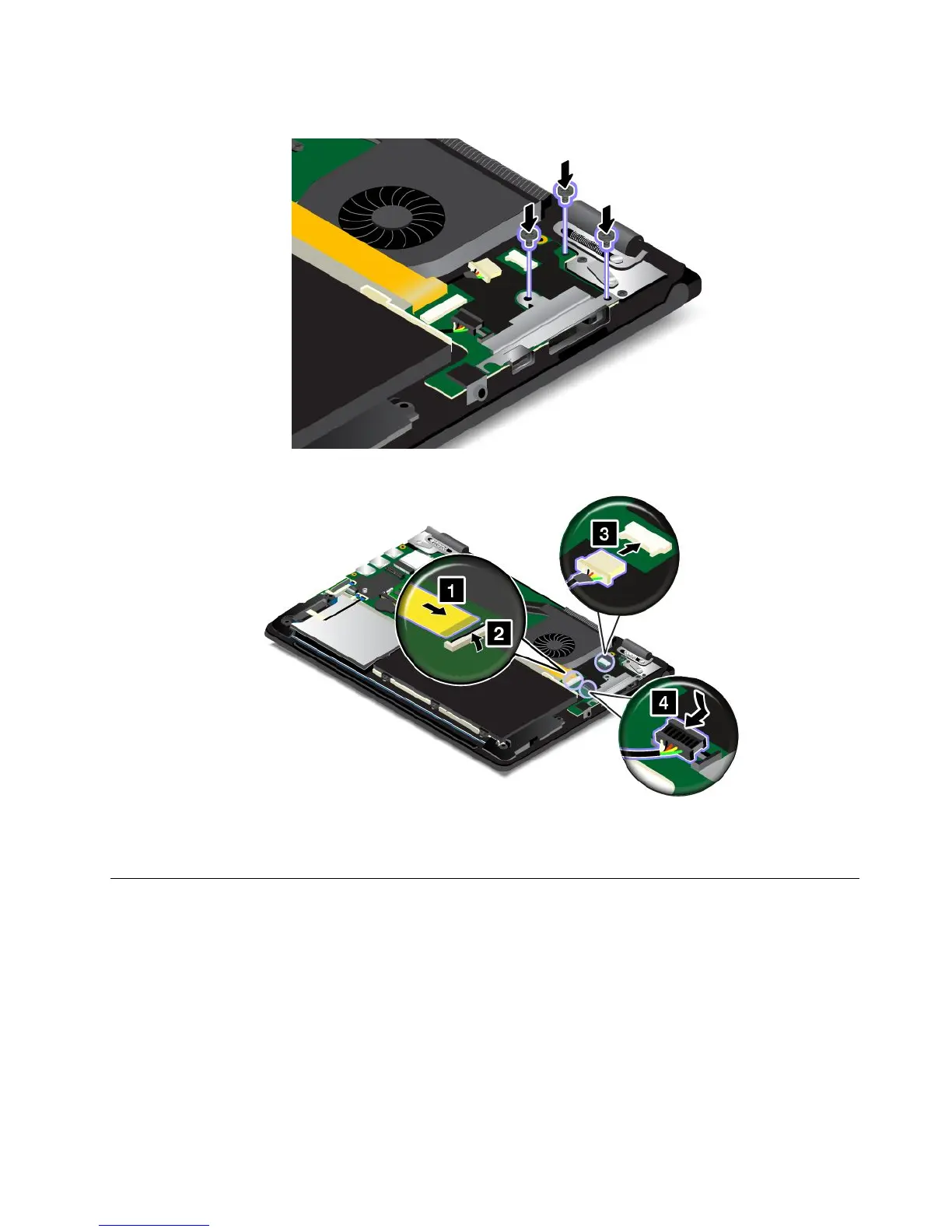
10.Reinstallthescrewstosecuretheaudio/USB/OneLink/acpowercard.
11.Reconnectallthecables.
12.Reinstallthebasecoverassembly.
13.Turnthecomputeroveragain.Connecttheacpoweradapterandallcablestothecomputer.
Replacingthespeakerassembly
Beforeyoustart,printtheseinstructions.Readtheimportantsafetyinformationfirst.See“Important
safetyinformation”onpagevi.
Note:Dependingonthemodel,yourcomputermightlookslightlydifferentfromtheillustrationsinthistopic.
Toreplacethespeakerassembly,dothefollowing:
1.Disablethebuilt-inbattery.See“Disablingthebuilt-inbattery”onpage107.
2.Closethecomputerdisplay,andturnthecomputerover.
3.Removethebasecoverassembly.See“Replacingthebasecoverassembly”onpage112.
Chapter9.Replacingdevices125



 To Next Page