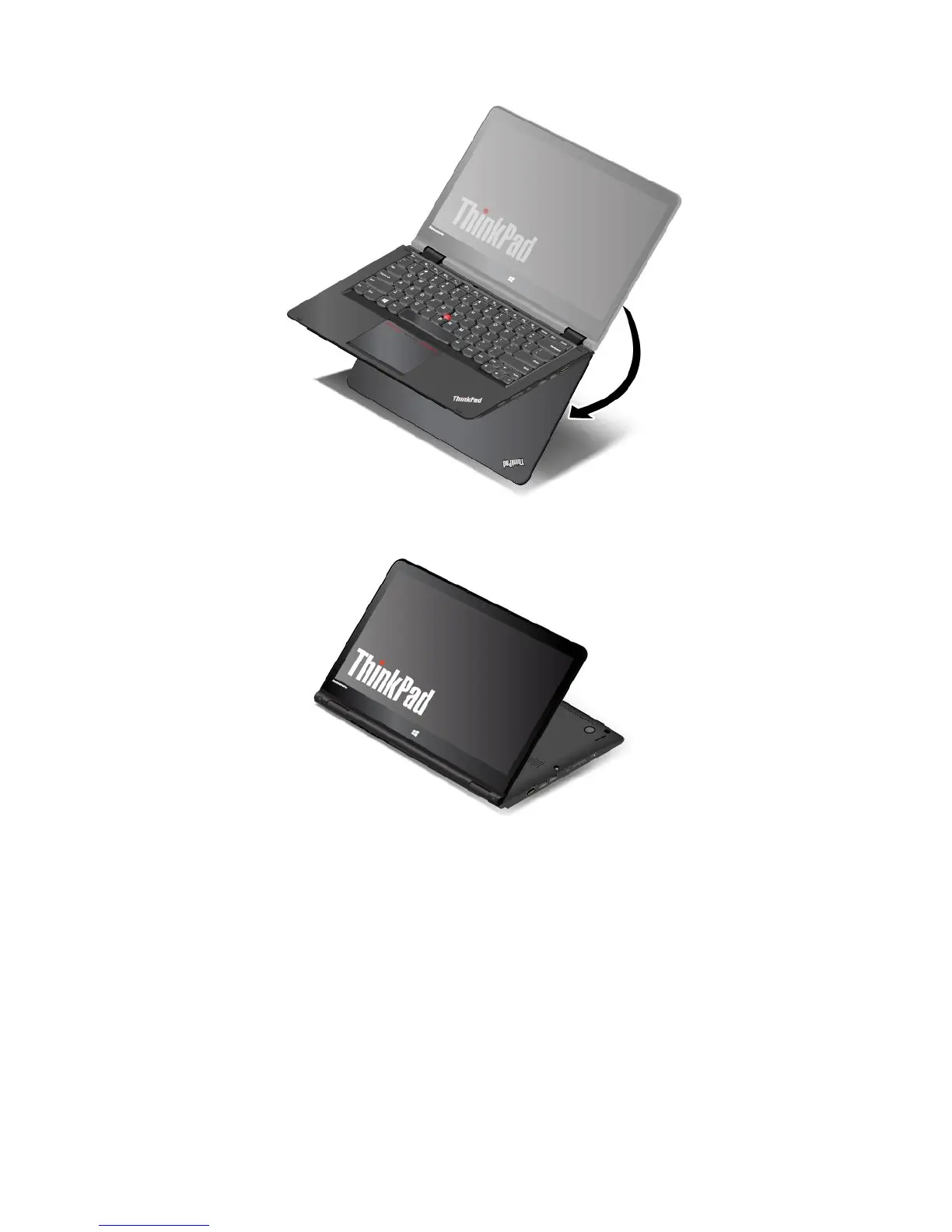
2.Positionyourcomputerasshown.Yourcomputerisnowinthestandmode.
Inthestandmode,thekeyboard,theThinkPadtrackpad,andtheTrackPointpointingstickareautomatically
disabled.
Bydefault,theautorotatefeatureisenabled.Toavoidundesiredscreenrotation,pressthe
screen-rotation-lockbuttontodisabletheautorotatefeature.Forinstructionsonhowtousethebutton,refer
to“Usingthetabletbuttons”onpage20
.Afteryoupressthescreen-rotation-lockbutton,theautorotate
featureisdisabledandtheautorotate-offindicatorisdisplayedonyourscreen.
Inthestandmode,youcanusethetabletbuttonstocontrolyourcomputer.Forinstructionsonhowto
usethetabletbuttons,referto“Usingthetabletbuttons”onpage20
.
Tabletmode
Youcanusethecomputerinthetabletmodeinscenariosthatrequirefrequentinteractionwiththescreen,
suchasbrowsingtheWebsite.
26UserGuide



 To Next Page