1Microphones
Themicrophonescapturesoundandvoicewhenusedwithaprogramcapableofhandlingaudio.
2Camera
Usethecameratotakepicturesorholdavideoconference.Formoreinformation,see“Usingthecamera”
onpage46.
3Ambientlightsensor(forWindows8.1only)
Theambientlightsensordetectsthesurroundinglightconditions.Thenthecomputeradjuststhescreen
brightnessaccordingly.
4System-statusindicator(illuminatedThinkPadlogo)
TheilluminateddotintheThinkPadlogofunctionsasasystem-statusindicator.Formoreinformation,see
“Statusindicators”onpage6
.
ThinkPadpointingdevice
5TrackPointpointingstick
6ThinkPadtrackpad
ThekeyboardcontainstheThinkPadpointingdevice.Pointing,selecting,anddraggingareallpartofasingle
processthatyoucanperformwithoutmovingyourfingersfromatypingposition.Formoreinformation,see
“ThinkPadpointingdevice”onpage33
.
7WindowsStartscreencontrol
PresstheWindowsStartscreencontroltoswitchbetweenthecurrentworkspaceandtheStartscreen;or
presstheWindowsStartscreencontroltowakeupthecomputerfromsleepmode.
8Multi-touchscreen
Yourcomputercomeswithamulti-touchscreen.Formoreinformation,see“Usingthemulti-touchscreen”
onpage20.
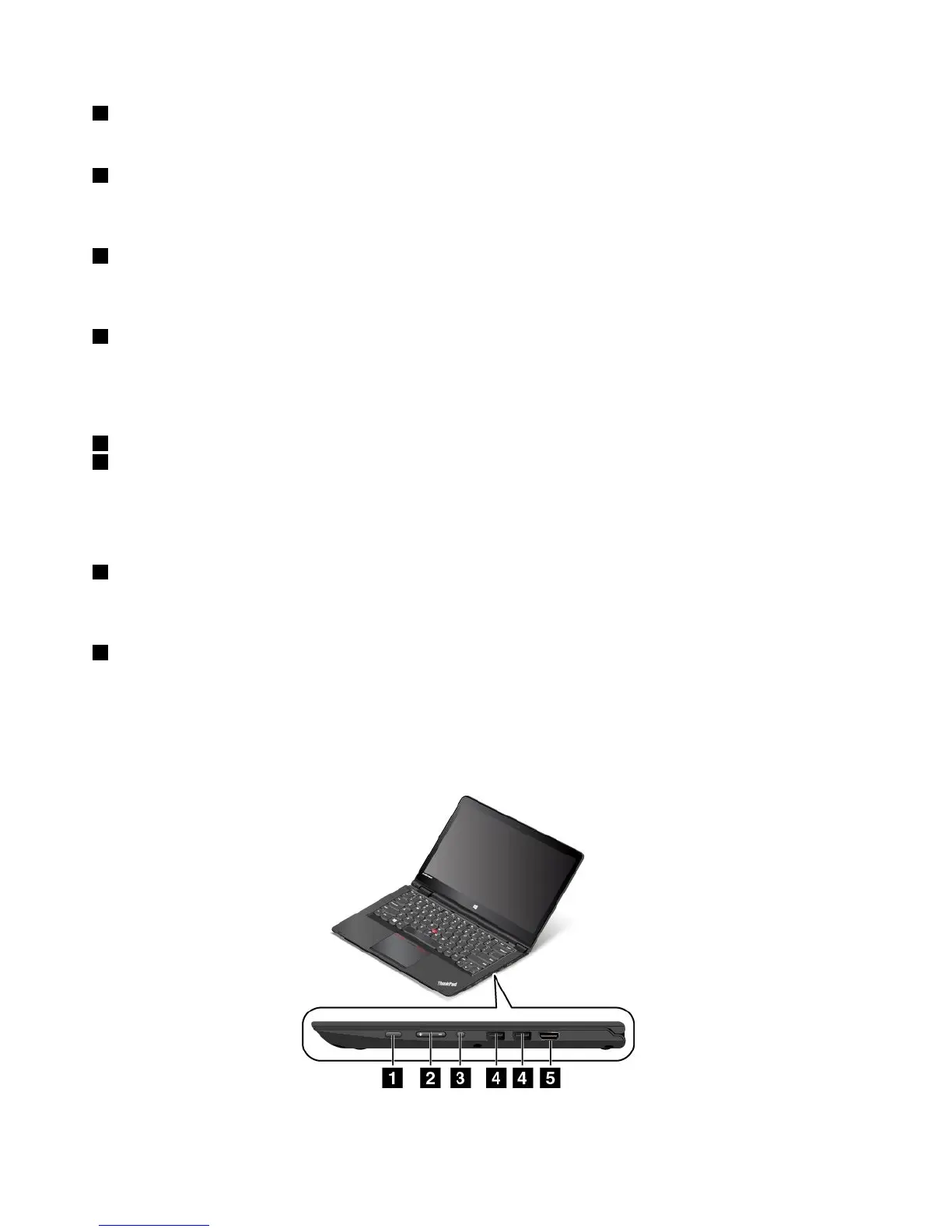
Right-sideview
Figure2.Right-sideview
2UserGuide



 To Next Page