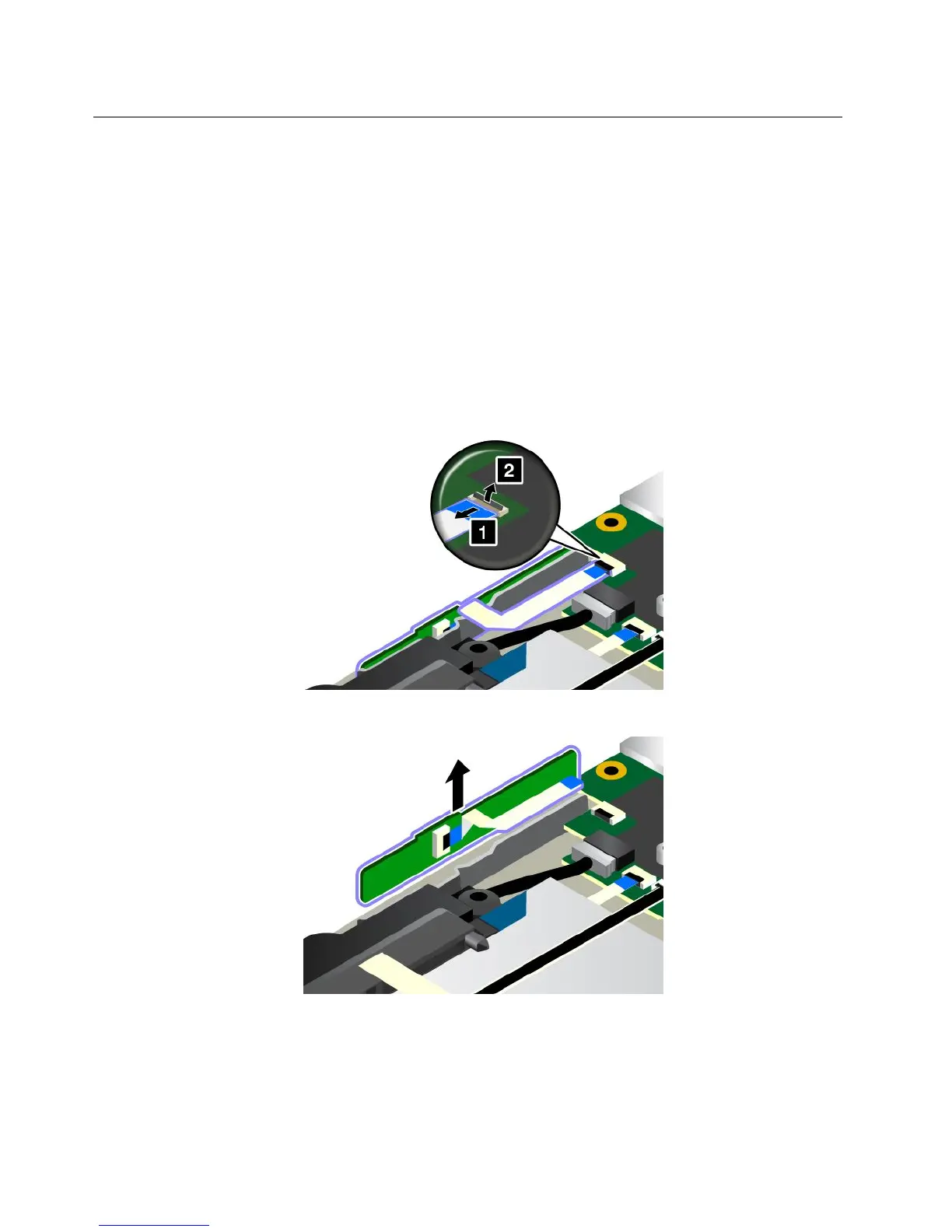
ReplacingthebuttonI/Ocard
Beforeyoustart,printtheseinstructions.Readtheimportantsafetyinformationfirst.See“Important
safetyinformation”onpagevi.
Note:Dependingonthemodel,yourcomputermightlookslightlydifferentfromtheillustrationsinthistopic.
ToreplacethebuttonI/Ocard,dothefollowing:
Attention:SensitivecomponentsaremountedonthebuttonI/Ocard.Avoidanykindofroughhandling
duringthereplacement.
1.Disablethebuilt-inbattery.See“Disablingthebuilt-inbattery”onpage107.
2.Closethecomputerdisplay,andturnthecomputerover.
3.Removethebasecoverassembly.See“Replacingthebasecoverassembly”onpage112.
4.Detachtheconnector.
5.RemovethebuttonI/Ocardvertically.
120UserGuide



 To Next Page