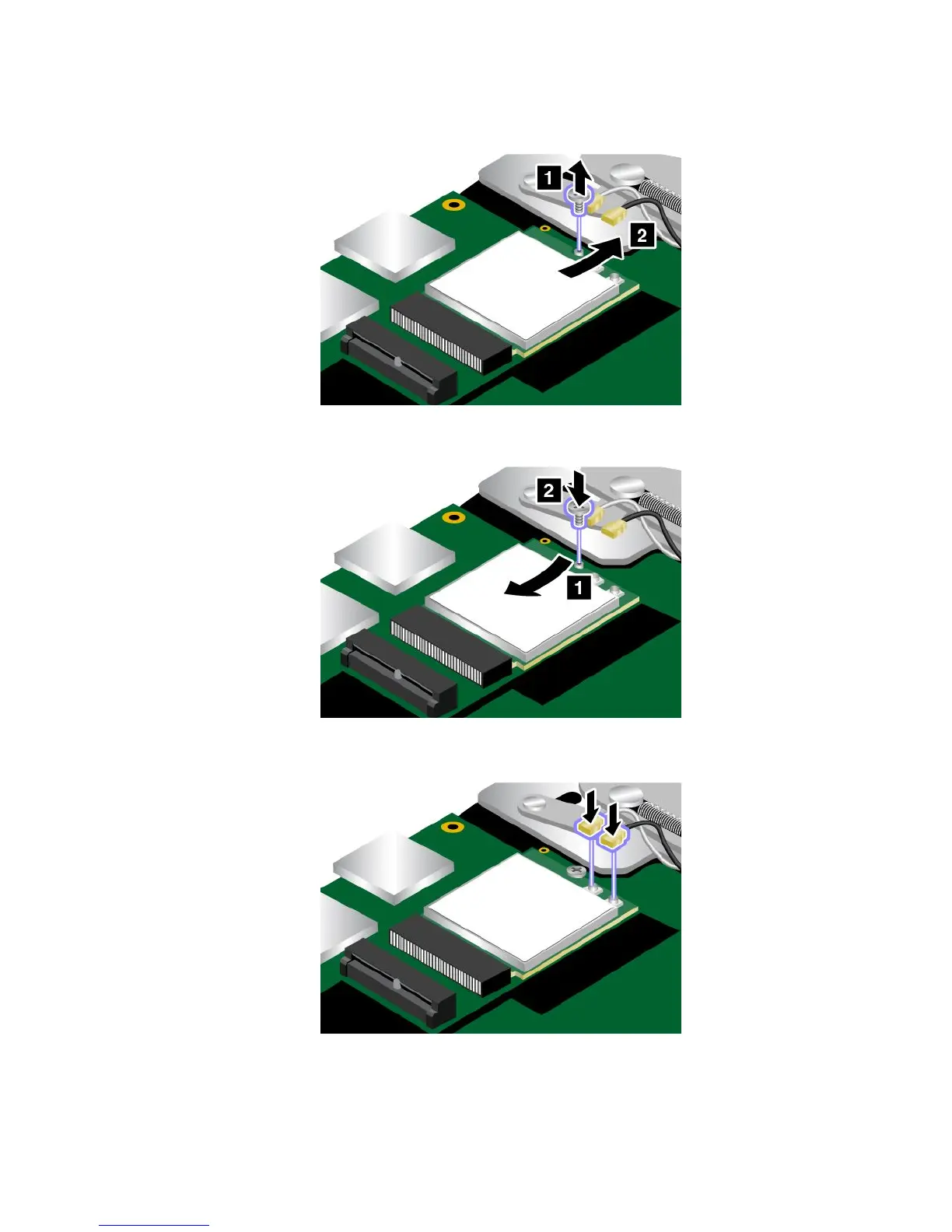
5.Removethescrew.ThewirelessLANcardisreleasedfromthesecuredpositionandpivotsupward.
Thenremovethecard.
6.AlignthecontactedgeofthenewwirelessLANcardwiththekeyintheslot.Thencarefullyinsertthe
newwirelessLANcardintotheslot.Theninstallthescrewtosecurethecard.
7.ConnecttheantennacablestothewirelessLANcard.Ensurethatyouattachthegraycabletothemain
connectorandtheblackcabletotheauxiliaryconnectoronthewirelessLANcard.
8.Reinstallthebasecoverassembly.
9.Turnthecomputeroveragain.Connecttheacpoweradapterandallcablestothecomputer.
Chapter9.Replacingdevices119



 To Next Page