Attention:WhenyouattachaUSBcabletotheconnector,ensurethattheUSBmarkisfacingupward.
Otherwisetheconnectormightgetdamaged.
4Audioconnector
Connectheadphonesoraheadsetthathasa3.5mm(0.14-inch)4-poleplugtotheaudioconnectorto
listentothesoundfromthecomputer.
Notes:
•Ifyouareusingaheadsetwithafunctionswitch,donotpressthisswitchwhileusingtheheadset.If
youpressit,theheadsetmicrophonewillbedisabled,andtheintegratedmicrophonesonthecomputer
willbeenabledinstead.
•Theaudioconnectordoesnotsupportaconventionalmicrophone.Formoreinformation,see“Using
audiofeatures”onpage45
.
5Media-cardslot
Yourcomputerisequippedwithamediacardreader,whichprovidesamedia-cardslot.Insertyourflash
mediacardintothemedia-cardslottoreadthedataonthecard.Formoreinformationaboutthesupported
cards,see“Usingaflashmediacard”onpage46.
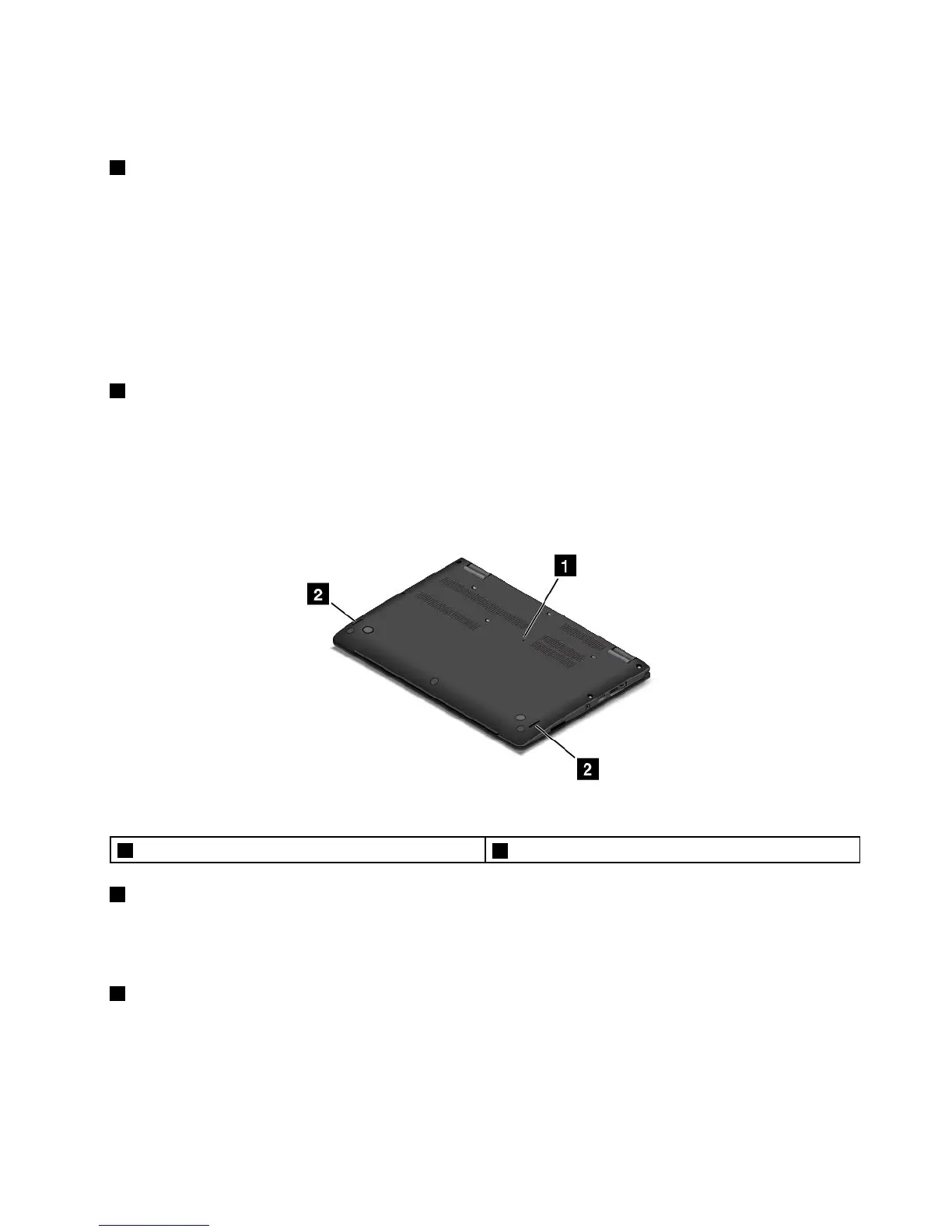
Bottomview
Figure4.Bottomview
1Emergency-resethole
2Speakers
1Emergency-resethole
Ifthecomputerstopsrespondingandyoucannotturnitoffbypressingthepowerbutton,removetheac
poweradapterandinsertaneedleorastraightenedpaperclipintotheemergency-resetholetoresetthe
computer.
2Speakers
Yourcomputerisequippedwithapairofstereospeakers.
Chapter1.Productoverview5



 To Next Page