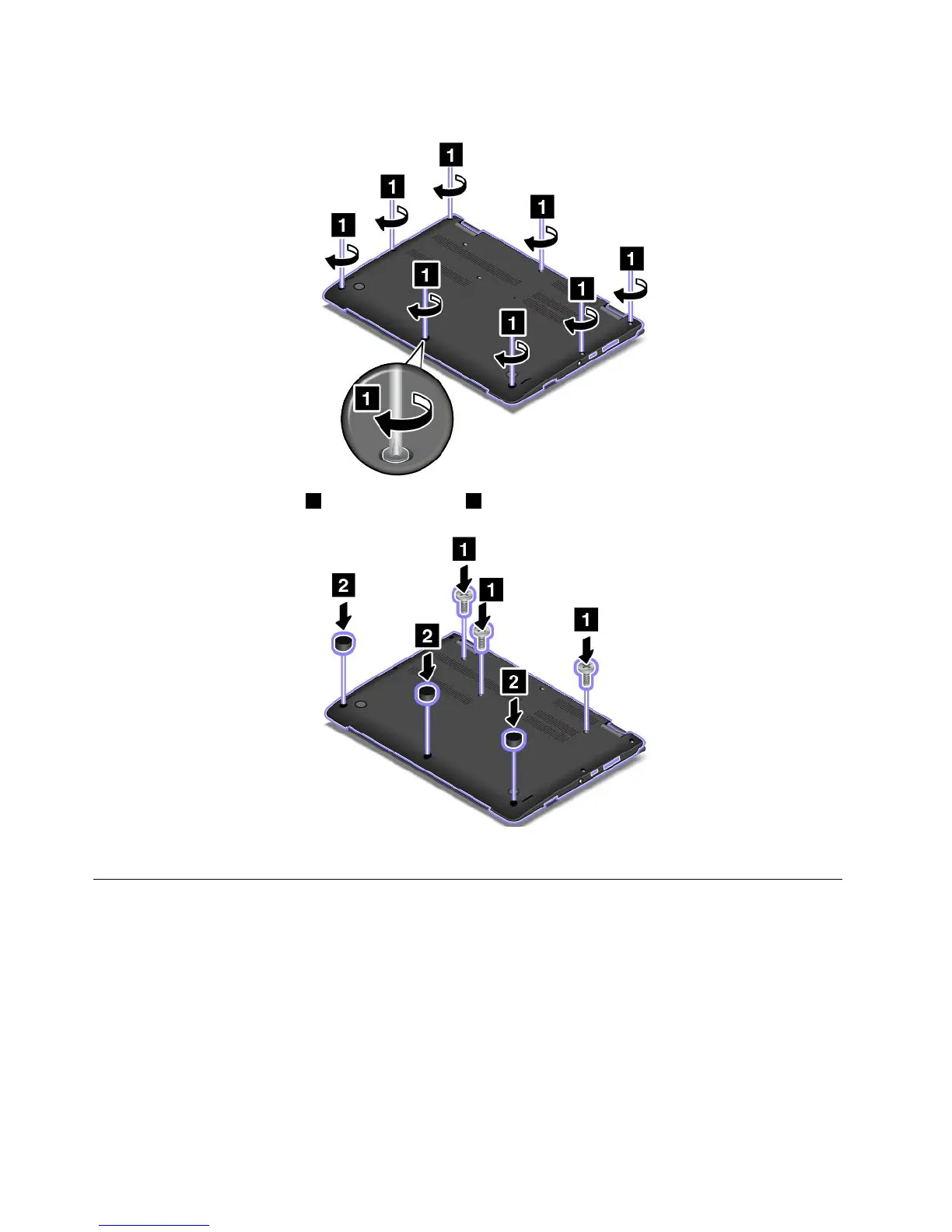
7.Tightenthescrewstosecurethebasecoverassembly.
8.Resinstalltherestscrews1andthescrewcaps2.
9.Turnthecomputeroveragain.Connecttheacpoweradapterandallcables.
Replacingthememorymodule
Beforeyoustart,printtheseinstructions.Readtheimportantsafetyinformationfirst.See“Important
safetyinformation”onpagevi.
Note:Dependingonthemodel,yourcomputermightlookslightlydifferentfromtheillustrationsinthistopic.
Increasingmemorycapacityisaneffectivewaytomakeprogramsrunfaster.Toreplacethememory
module,readthefollowingprerequisites,andthentheinstructions.
Note:Theoperatingspeedofthememorymodulehasdependencyonthesystemconfiguration.Insome
conditions,thememorymoduleinyourcomputermightnotbeabletooperateatthemaximumspeed.
114UserGuide



 To Next Page