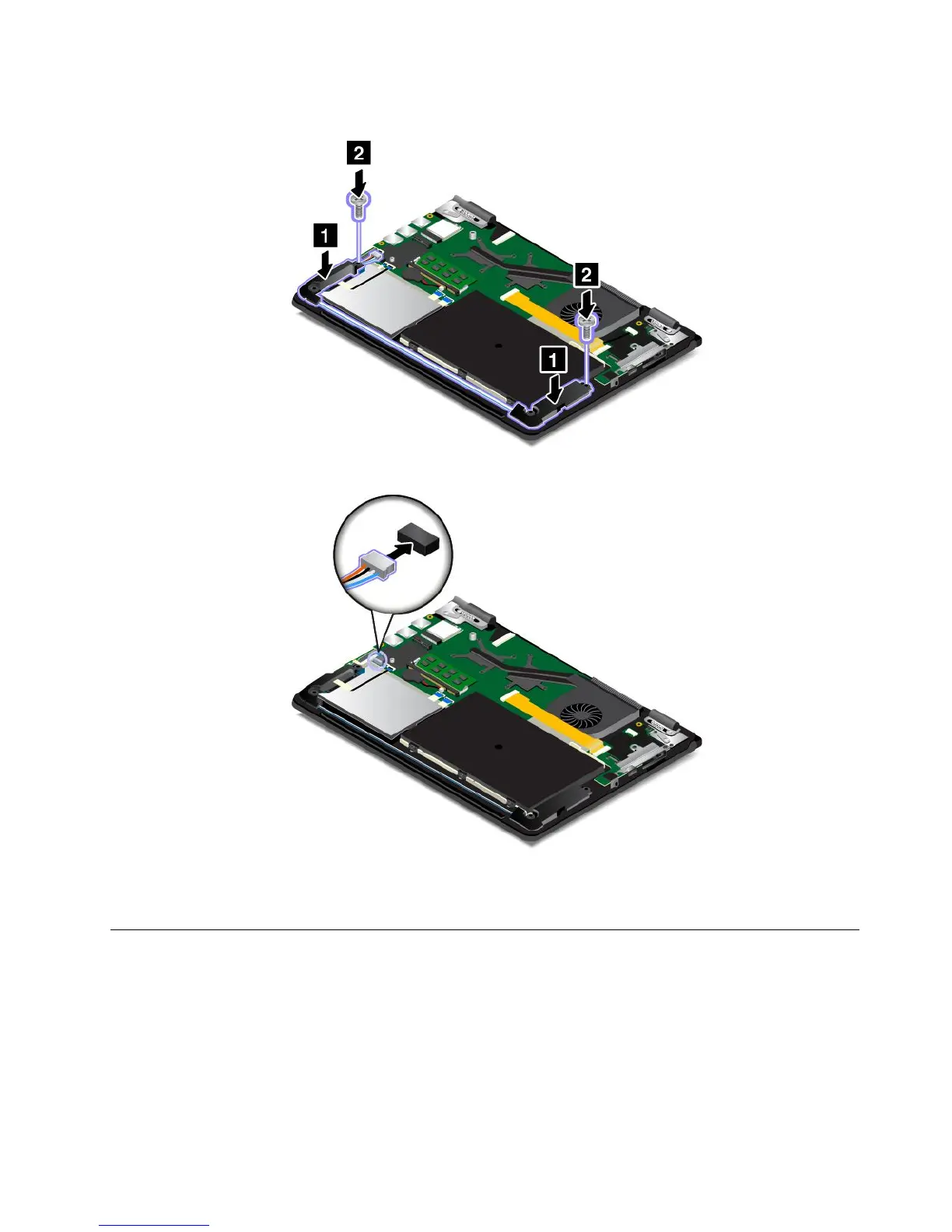
6.Installthenewspeakerassemblyinplace.Theninstallthescrewstosecurethespeakerassembly.
7.Reattachtheconnector.
8.Reinstallthebasecoverassembly.
9.Turnthecomputeroveragain.Connecttheacpoweradapterandallcablestothecomputer.
Replacingthecoin-cellbattery
Beforeyoustart,printtheseinstructions.Readtheimportantsafetyinformationfirst.See“Important
safetyinformation”onpagevi.
Note:Dependingonthemodel,yourcomputermightlookslightlydifferentfromtheillustrationsinthistopic.
Chapter9.Replacingdevices127



 To Next Page