Attention:Donotrotatethecomputerdisplaywithtoomuchforce,otherwisethecomputerdisplay
orhingesmightgetdamaged.Donotapplytoomuchforcetotheupper-rightorupper-leftcornerof
thecomputerdisplay.
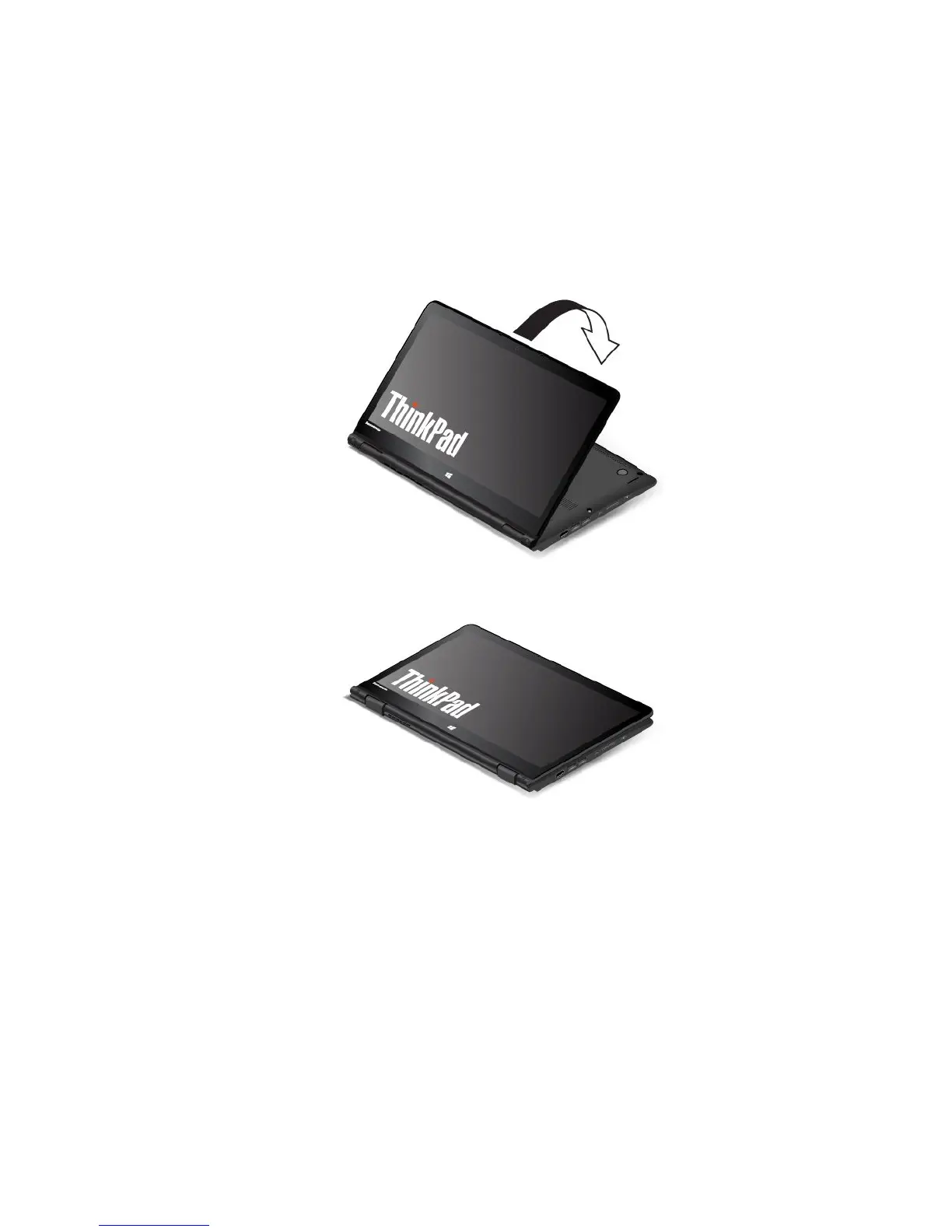
Ifyourcomputerisinthestandmode,dothefollowingtoturnthecomputerfromthestandmodeinto
thetabletmode:
Note:Yourcomputermightlookslightlydifferentfromtheillustrationsinthistopic.
1.Positionyourcomputerasshownandslowlyrotatethecomputerdisplayclockwise.
2.Positionyourcomputerasshown.Yourcomputerisnowinthetabletmode.Bydefault,theautorotate
featureisenabled.
3.Toavoidundesiredscreenrotationinthetabletmode,pressthescreen-rotation-lockbuttontodisable
theautorotatefeature.Forinstructionsonhowtousethebutton,referto“Usingthetabletbuttons”
onpage20
.
Note:Afteryoupressthescreen-rotation-lockbutton,theautorotatefeatureisdisabledandthe
autorotate-offindicatorisdisplayedonyourscreen.
Chapter2.Usingyourcomputer27



 To Next Page