Note:Dependingonthemodel,yourcomputermightlookslightlydifferentfromtheillustrationsinthistopic.
Attention:Thestoragedriveisverysensitive.Incorrecthandlingcancausedamageandpermanentlossof
data.Observethefollowingguidelines:
•Replacethestoragedriveonlyifyouupgradeitorhaveitrepaired.Theconnectorsandslotofthestorage
drivearenotdesignedforfrequentchanges,ordriveswapping.
•Donotdropthedriveorsubjectittophysicalshocks.Putthedriveonamaterial,suchassoftcloth,that
absorbsanyphysicalshocks.
•Donotapplypressuretothecoverofthedrive.
•Donottouchtheconnector.
•Beforeremovingthestoragedrive,makeabackupcopyofalltheinformationonit,andthenturnoffthe
computer.
•Neverremovethedrivewhilethecomputerisoperating,insleepmode,orinhibernationmode.
Toreplacethestoragedrive,dothefollowing:
1.Disablethebuilt-inbattery.See“Disablingthebuilt-inbattery”onpage107.
2.Closethecomputerdisplay,andturnthecomputerover.
3.Removethebasecoverassembly.See“Replacingthebasecoverassembly”onpage112.
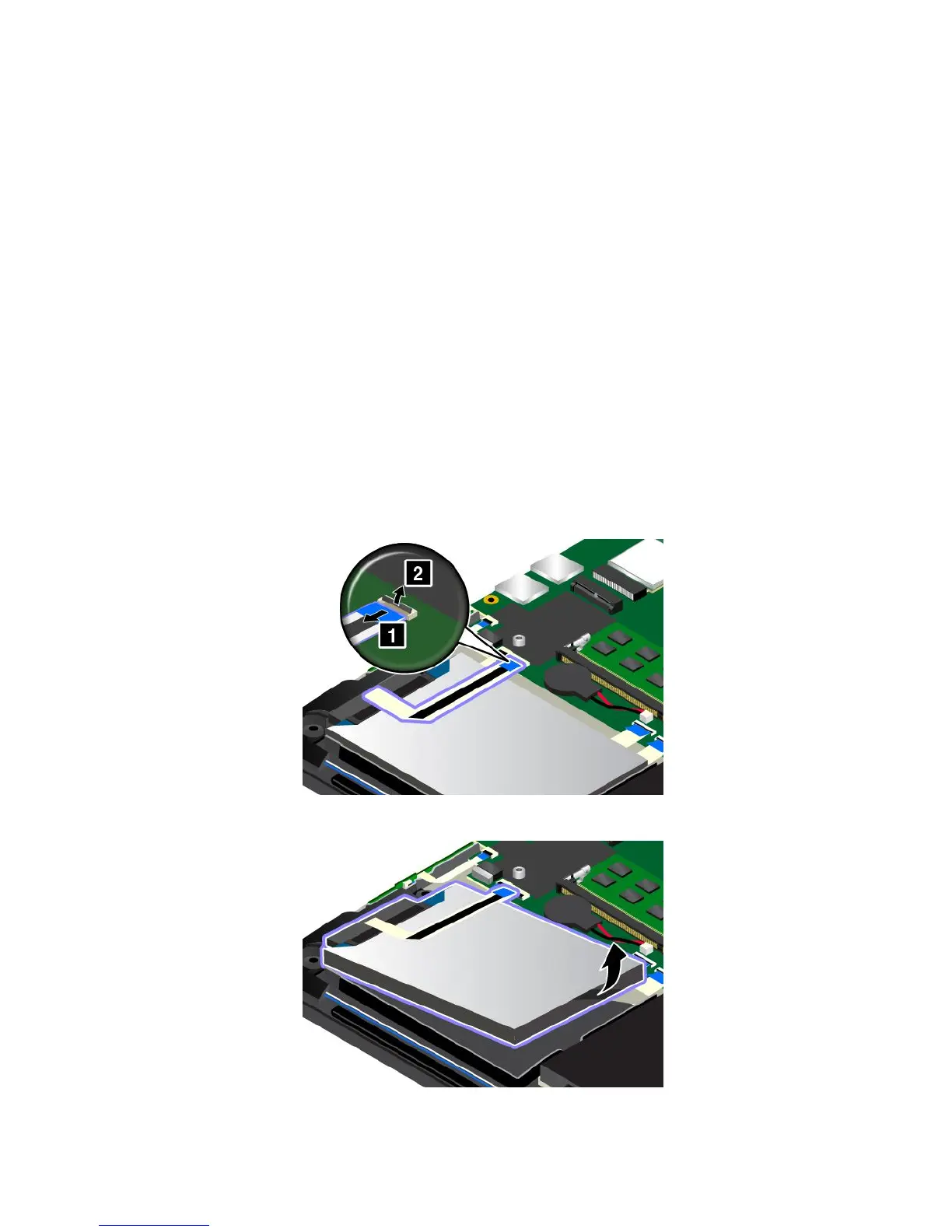
4.Detachtheconnector.
5.Takethedrivetabandliftthedrive.Thentakethedriveoutofthedrivebay.
116UserGuide


 To Next Page
 Loading...











