Touchgesture(touchmodels
only)
Description
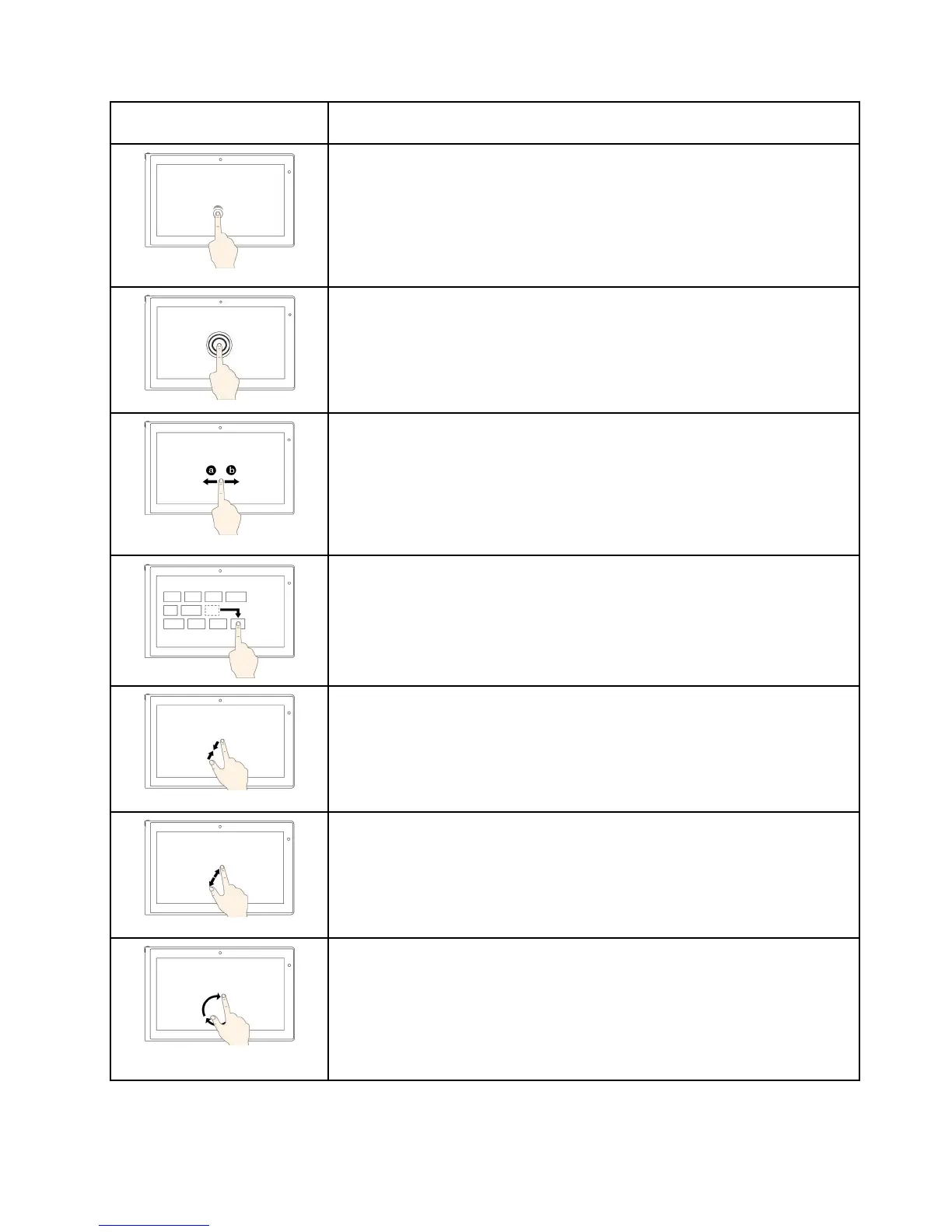
Touch:Tap.
Mouseaction:Click.
Function:Openanapporperformanactiononanopenapp,suchasCopy,
Save,andDelete,dependingontheapp.
Supportedoperatingsystems:Windows7andWindows8.1
Touch:Tapandhold.
Mouseaction:Right-click.
Function:Openamenuwithmultipleoptions.
Supportedoperatingsystems:Windows7andWindows8.1
Touch:Slide.
Mouseaction:Scrollthemousewheel,movethescrollbar,orclickthescroll
arrow.
Function:Scrollthroughitems,suchaslists,pages,andphotos.
Supportedoperatingsystems:Windows7andWindows8.1
Touch:Draganitemtothedesiredlocation.
Mouseaction:Click,hold,anddraganitem.
Function:Moveanobject.
Supportedoperatingsystems:Windows7andWindows8.1
Touch:Movetwofingersclosertogether.
Mouseaction:PresstheCtrlkeywhilescrollingthemousewheelbackward.
Function:Zoomout.
Supportedoperatingsystems:Windows7andWindows8.1
Touch:Movetwofingersfartherapart.
Mouseaction:PresstheCtrlkeywhilescrollingthemousewheelforward.
Function:Zoomin.
Supportedoperatingsystems:Windows7andWindows8.1
Touch:Puttwoormorefingersonanitemandthenrotateyourfingersclockwise
orcounterclockwise.
Mouseaction:Iftheappsupportsrotation,clicktherotationicon.
Function:Rotateanitem.
Supportedoperatingsystems:Windows7andWindows8.1
Chapter2.Usingyourcomputer21



 To Next Page