Point
Slideonefingeracrossthesurfaceofthetrackpadto
movethepointeraccordingly.
Scroll
Puttwofingersonthetrackpadandmovetheminthe
verticalorhorizontaldirection.Thenyoucanscroll
throughthedocument,Website,orapps.Ensurethatyou
positionyourtwofingersslightlyapartfromeachother.
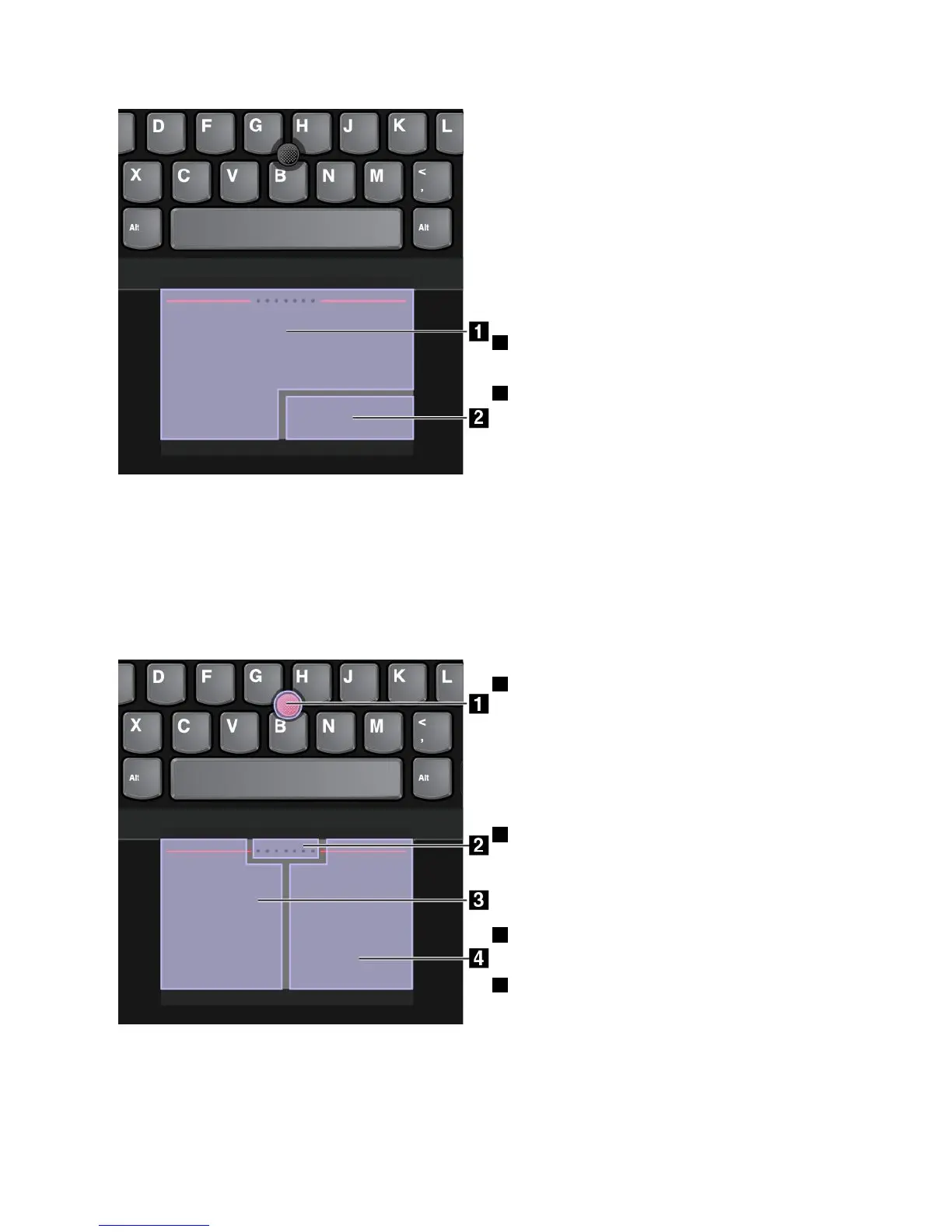
1Left-click
Presstheleft-clickzonetoselectoropenanitem.
2Right-click
Presstheright-clickzonetodisplayashortcutmenu.
ClassicTrackPointmode
IntheClassicTrackPointmode,usethepointingsticktomovethepointer,andusethetrackpadtoperform
otheractionssuchasleft-click,right-click,andscroll.
Note:ComparedwiththeTrackPointmode,theClassicTrackPointmodeenlargestheright-clickzoneso
thattheright-andleft-clickzonesonthetrackpadaredividedequally.However,thetouchgesturesare
disabledandcannotbeusedintheClassicTrackPointmode.
1Point
Usethepointingsticktomovethepointer.Tousethe
pointingstick,applypressuretothenonslipcaponthe
pointingstickinanydirectionparalleltothekeyboard.
Thepointermovesaccordinglybutthepointingstickitself
doesnotmove.Thespeedatwhichthepointermoves
dependsontheamountofpressureyouapplytothe
pointingstick.
2Scroll
Pressandholdthedottedscrollingbarwhileapplying
pressuretothepointingstickintheverticalorhorizontal
direction.Thenyoucanscrollthroughthedocument,
Website,orapps.
3Left-click
Presstheleft-clickzonetoselectoropenanitem.
4Right-click
Presstheright-clickzonetodisplayashortcutmenu.
Chapter2.Usingyourcomputer35



 To Next Page