12 I
www.inavi.com
1
2
3
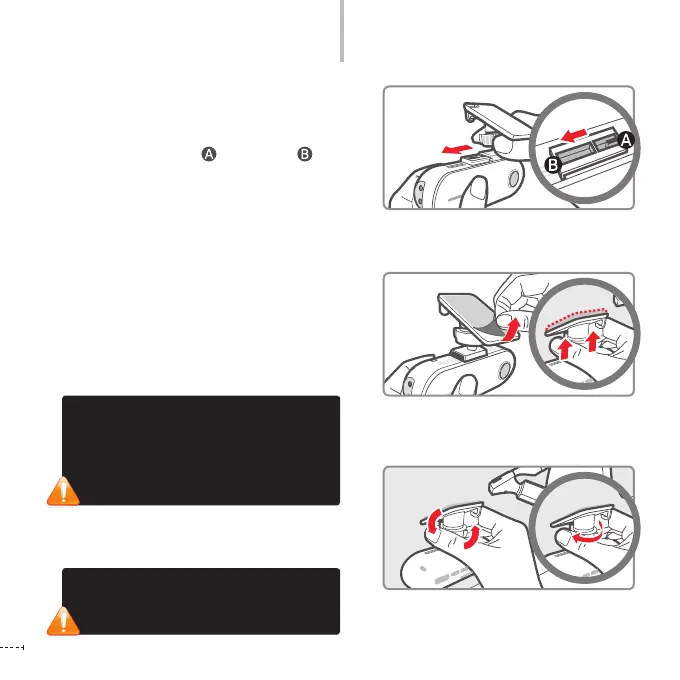
How to Install the Product
By adjusting the grooves on the holder-connector,
connect it the black box.
Slide the holder onto the wider groove of the black
box’s holder connector and push it to until it
‘clicks’ and rmly ts in.
Remove a lm from the double-sided tape and
attach one side to the holder. Attach the holder
to a location that does not hinder your driving or
outside visibility.
We recommend that you install the black box behind
the rearview mirror. Select a location that allows for easy
button control. Wipe all foreign material and moisture
from the surface to which the double-sided tape will be
attached using a soft and dry cloth.
Adjust the body to a proper angle and x it by
tightening the screw of the holder.
Checking camera recording direction
1. Using [Black Box Live View] through
interworking with iNAVI navigation
2. Checking the recorded video through the
PC Viewer
If you do not tighten the screw of the holder,
the video may not be recorded properly due
to the rocking of the body or other causes.



 To Next Page