www.inavi.com
I 13
Chapter 01 I General
Notes for installing the black box
1 A vehicle cigar jack cable is provided along with our black box as a default component. A continu-
ous power cable (optional) is up to the user.
2 We recommend you to let a specialist install and mount our iNAVI black box at our ocial iNAVI
retail shop or agency. (See the iNAVI home page for the ocial retail shops and agencies.)
3 If you need to mount or remove your black box, you can get our help at our ocial iNAVI retail shop
only when you have installed it at the ocial iNAVI retail shop. We do not provide any support for
installation or mounting of the black box.
How to Install the Product
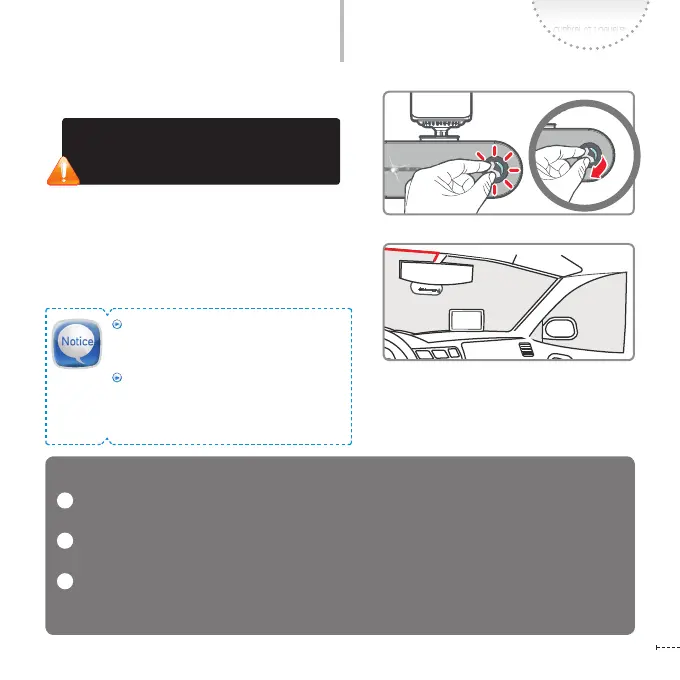
4
Remove the camera lens protection le.
If the lm is not removed, the quality of
recorded video will be degraded. Be careful
not to stain the lens with ngerprints.
Connect the power cable (cigar jack cable)
and organize the cable using the cable
holders.
5
For the best video quality, keep the front
window of your vehicle clean before start-
ing recording.
Foreign material (e.g., ngerprints) that
stain on the black box lens may result in
a negative impact on the recorded video.
Keep the lens clean.



 To Next Page