54 I
www.inavi.com
Black Box Setting > Additional Functions - 6
PC Viewer
6
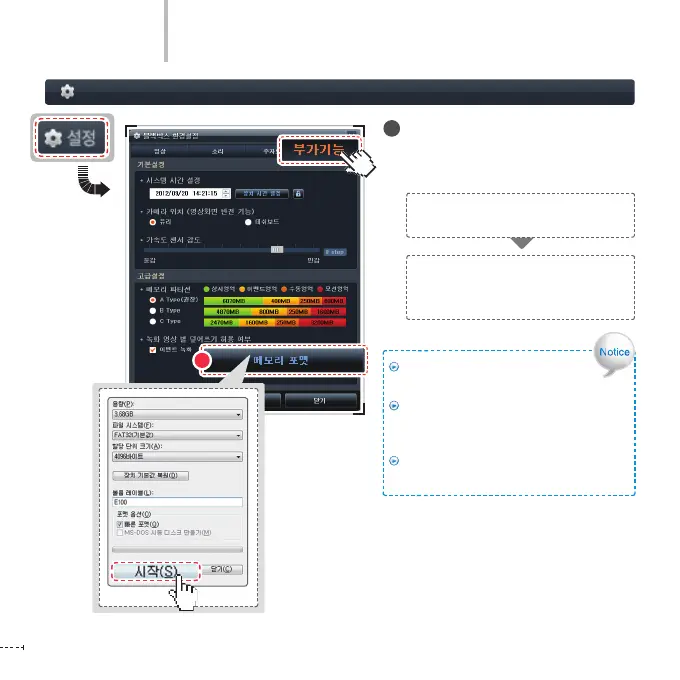
Memory Format
Format the micro SD card where the
recording les are saved.
6
Click the Memory Format button and a
memory format window appears.
Select each format option in the format
window and click the Start button to
execute format.
We recommend you to back up data
before formatting the memory.
If you format the memory, the saved
data is deleted and any deleted data
cannot be then restored.
The format conguration window may vary
according to the OS installed in the user’s PC.



 To Next Page