www.inavi.com
I 55
Chapter 03 I Menu
Black Box Setting > Additional Functions - 7
PC Viewer
7
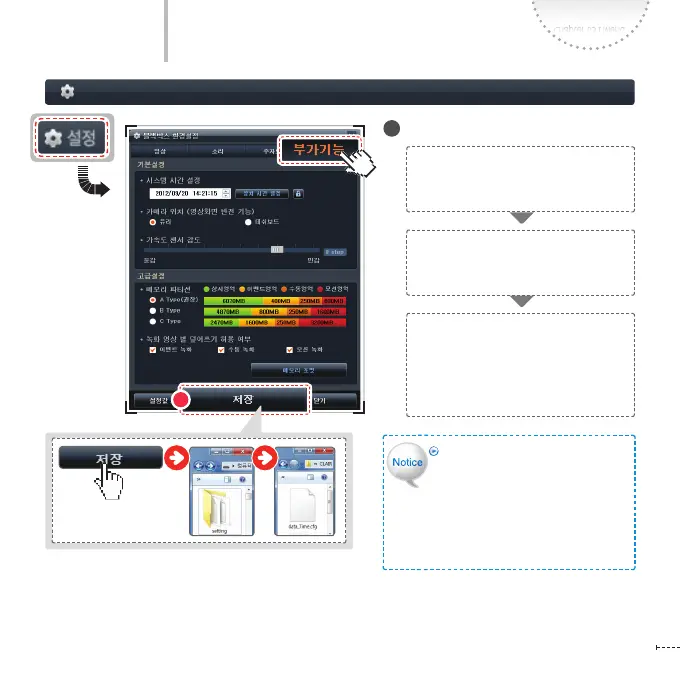
Apply the settings
If you forcibly delete the setup.
cfg le, you cannot use it on the PC
Viewer. In this case, insert the micro
SD card to the product and operate
the product. Then the setup.cfg le
is created as a default setting and it
can be used on the PC Viewer again.
After completing the settings, click the
Save button to save the settings to the
micro SD card.
The saved conguration le is created
as the setup.cfg le in the Setting
folder of the micro SD card.
Insert the micro SD card to the
product and turn on the power.
The product boots up with the
settings being simultaneously
applied to the product.
8



 To Next Page