56 I
www.inavi.com
8
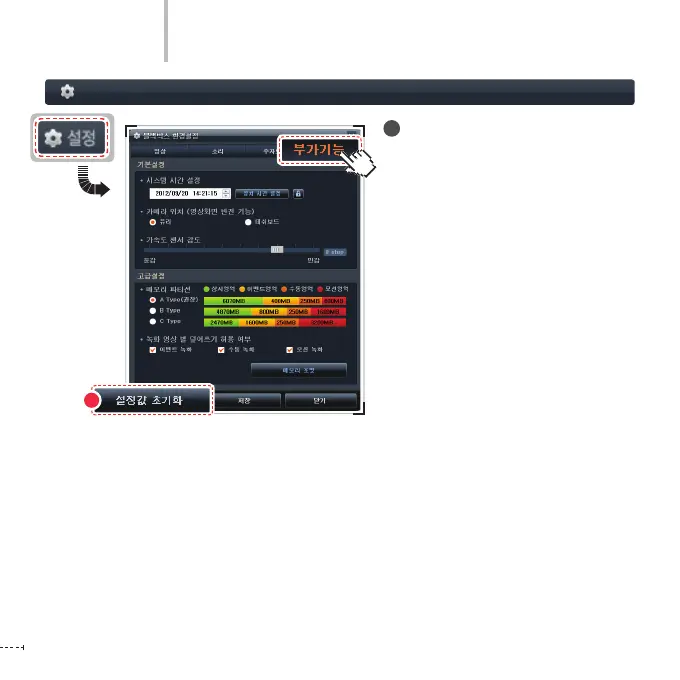
Resetting the Conguration
To apply the initial setting values, not
the user-specied values, click the Reset
Values button on the right bottom side
of the screen.
The setting values are saved in the micro
SD card. Therefore, insert the micro SD
card to the product and turn on the
power. The product boots and the
settings are simultaneously applied to
the product.
Black Box Setting > Additional Functions - 8
PC Viewer
9



 To Next Page