Doc. No.:
ST/WI/RG/RGX4400
- 6 -
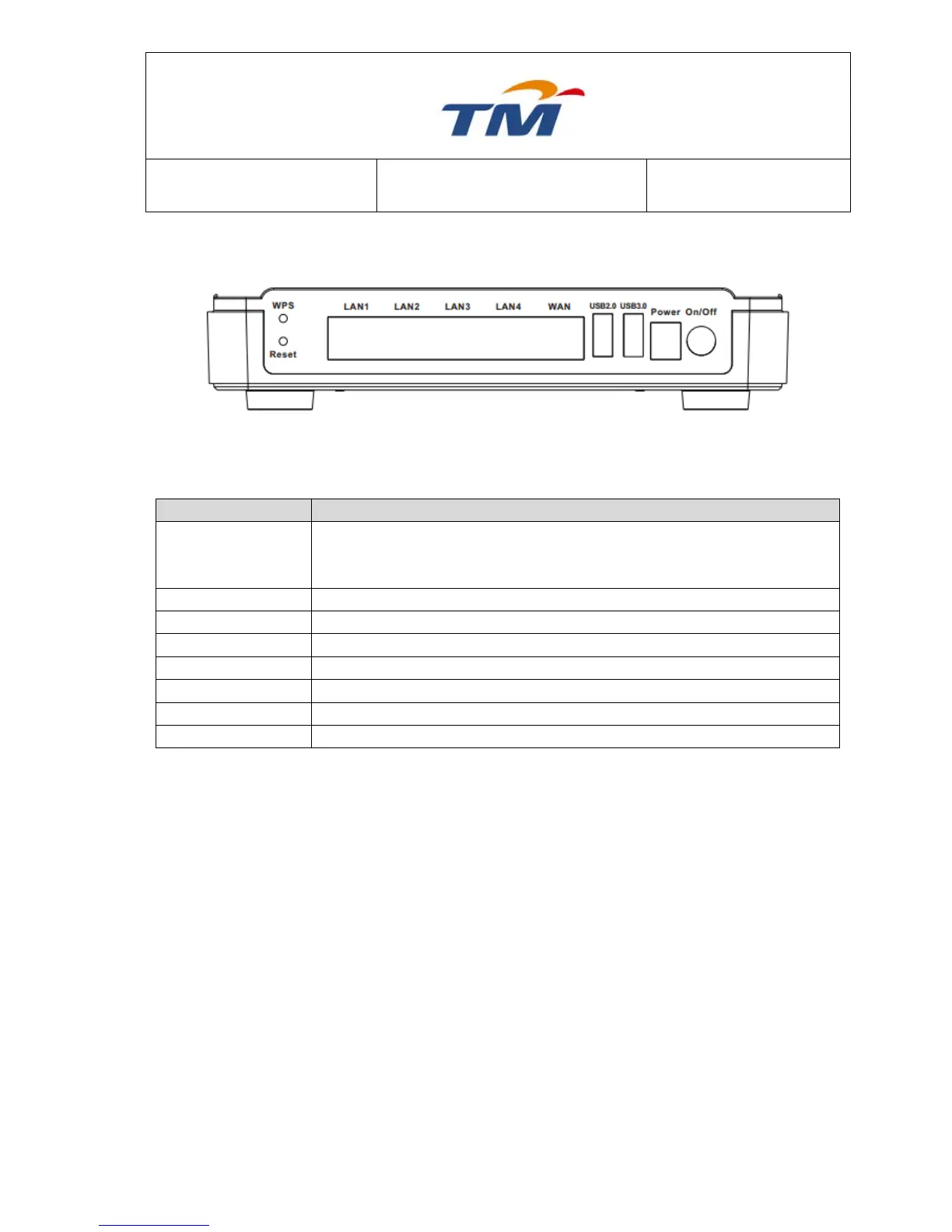
Rear Panel and Interface Description
Figure 2 Rear Panel
The following table describes the interfaces of the device.
This button is used for enabling WPS PBC mode. If WPS is enabled,
press this button, and then the wireless router starts to accept negotiation
of PBC mode.
Default the modem as the factory setting.
LAN interface, for connecting a hub, switch, or computer on LAN.
WAN interface, for connecting WAN or an uplink network device.
USB interface, for connecting the USB 2.0 device.
USB interface, for connecting the USB 3.0 device.
Power socket, for connecting the power adapter.
Turn on or off the power supply
Caution:
Do not press the Reset button unless you want to clear the current settings. The Reset
button is in a small circular hole on the rear panel. If you want to restore the default
settings, please press the Reset button gently for 10 seconds with a fine needle inserted
into the hole and then release the button. The system reboots and returns to the factory
defaults.
Warning:
The power specification is 12V DC, 2.0A. If the power adapter does not match the
specification, it may damage the device.



 To Next Page