- 42 -
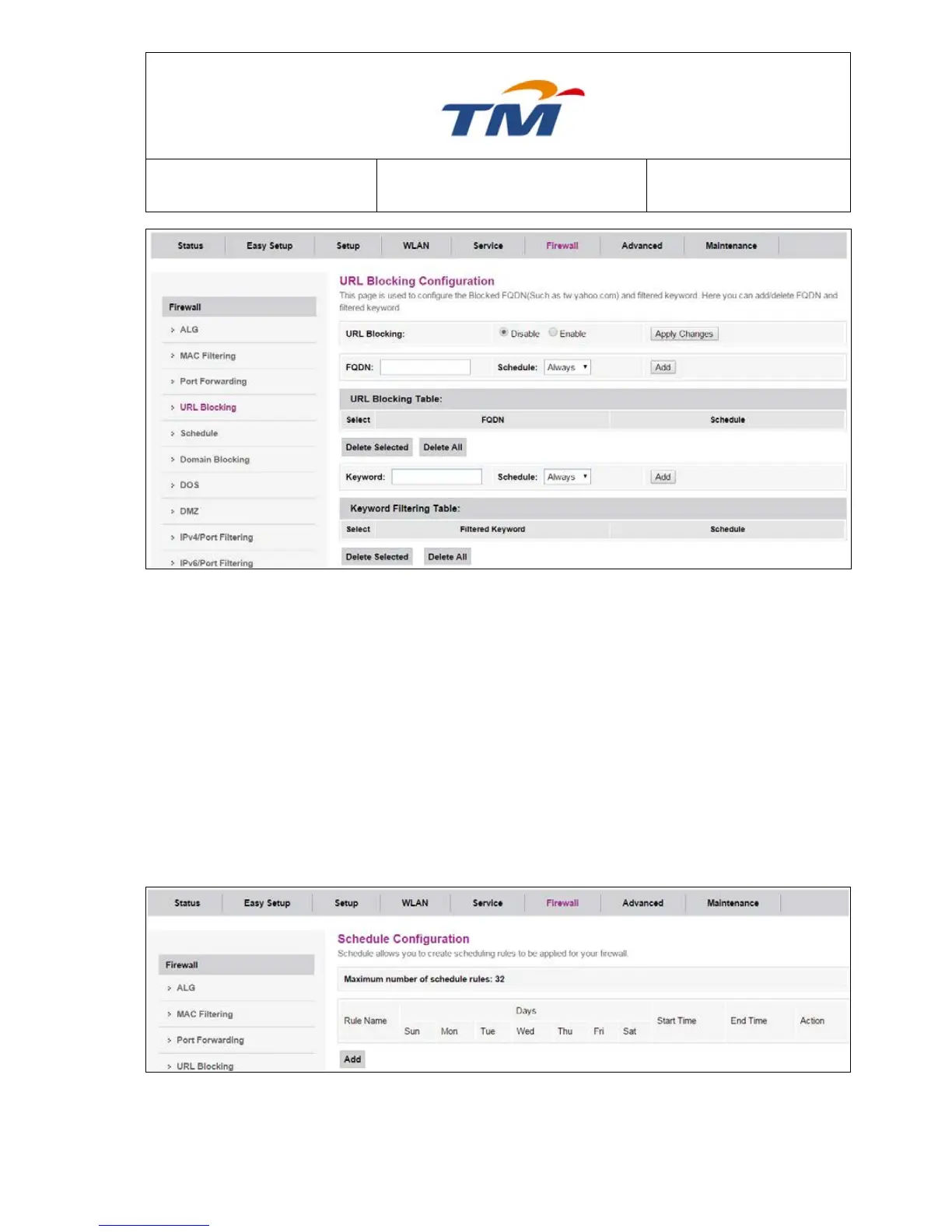
URL Blocking Enable or disable the URL blocking function. If it is enabled, the access to
websites which match with the URL will be blocked by the router, if it is
disabled, nothing will be done.
FQDN The Fully Qualified Domain Name that you want to block.
Schedule Select the effective time of the URL Blocking function. If you choose
―Always‖, it will be blocked all the time.
Keyword The keyword of the FQDN that you want to block.
6.5.5 Schedule
Click Add at the bottom of the page and configure the parameters to add a schedule rule to be
applied for your firewall.



 To Next Page