- 45 -
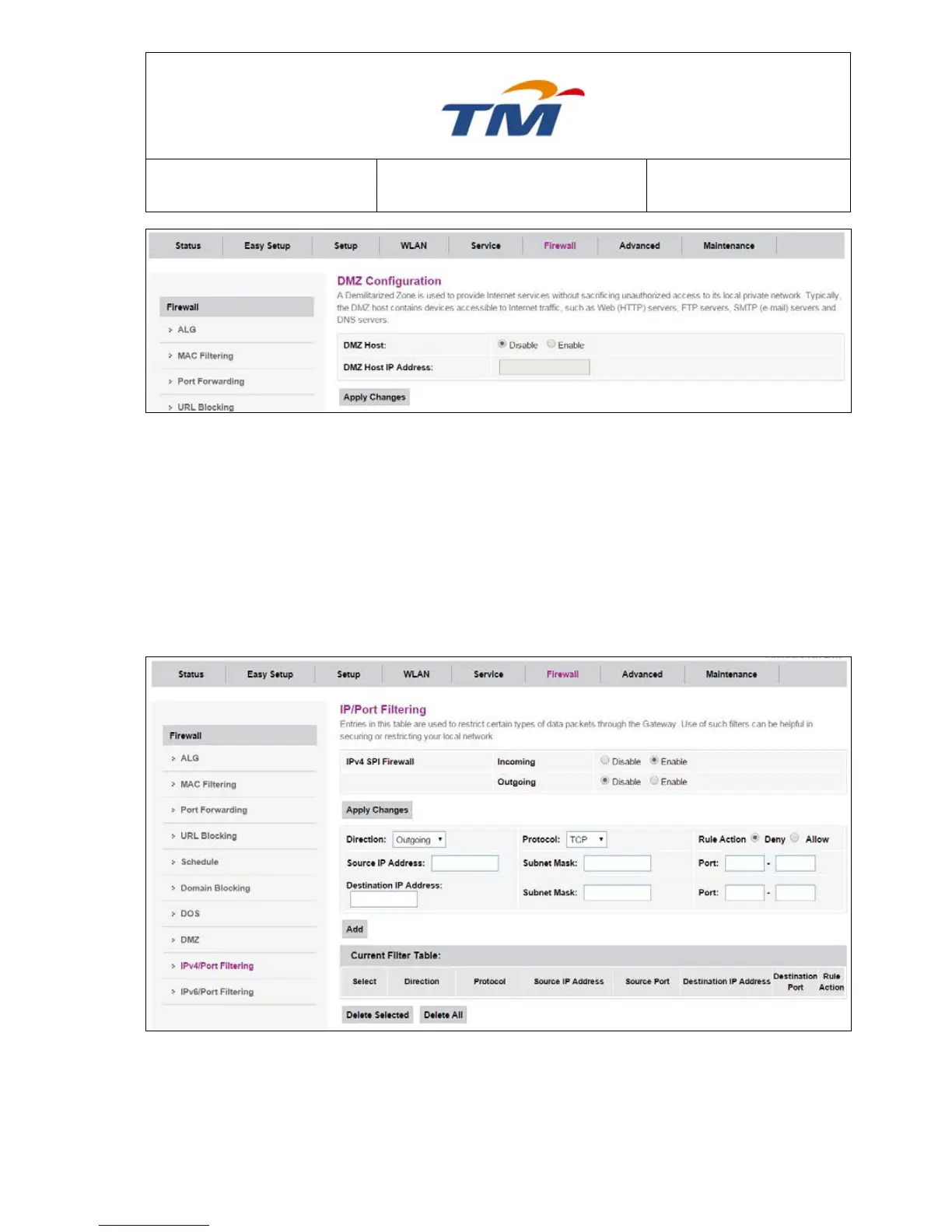
DMZ Host Enable or disable the DMZ feature.
DMZ Host IP Address IP address of the local host. This feature lets a local host to be
exposed to the Internet.
6.5.9 IPv4/Port Filtering
Enable or disable IPv4 filter, set the security level and the filter mode. You can also add an IP filter
rule to the IP filter list.
Incoming Specify the default action on the WAN to LAN forwarding path.
Outgoing Specify the default action on the LAN to WAN forwarding path
Direction Can choose Incoming or Outgoing



 To Next Page