- 11 -
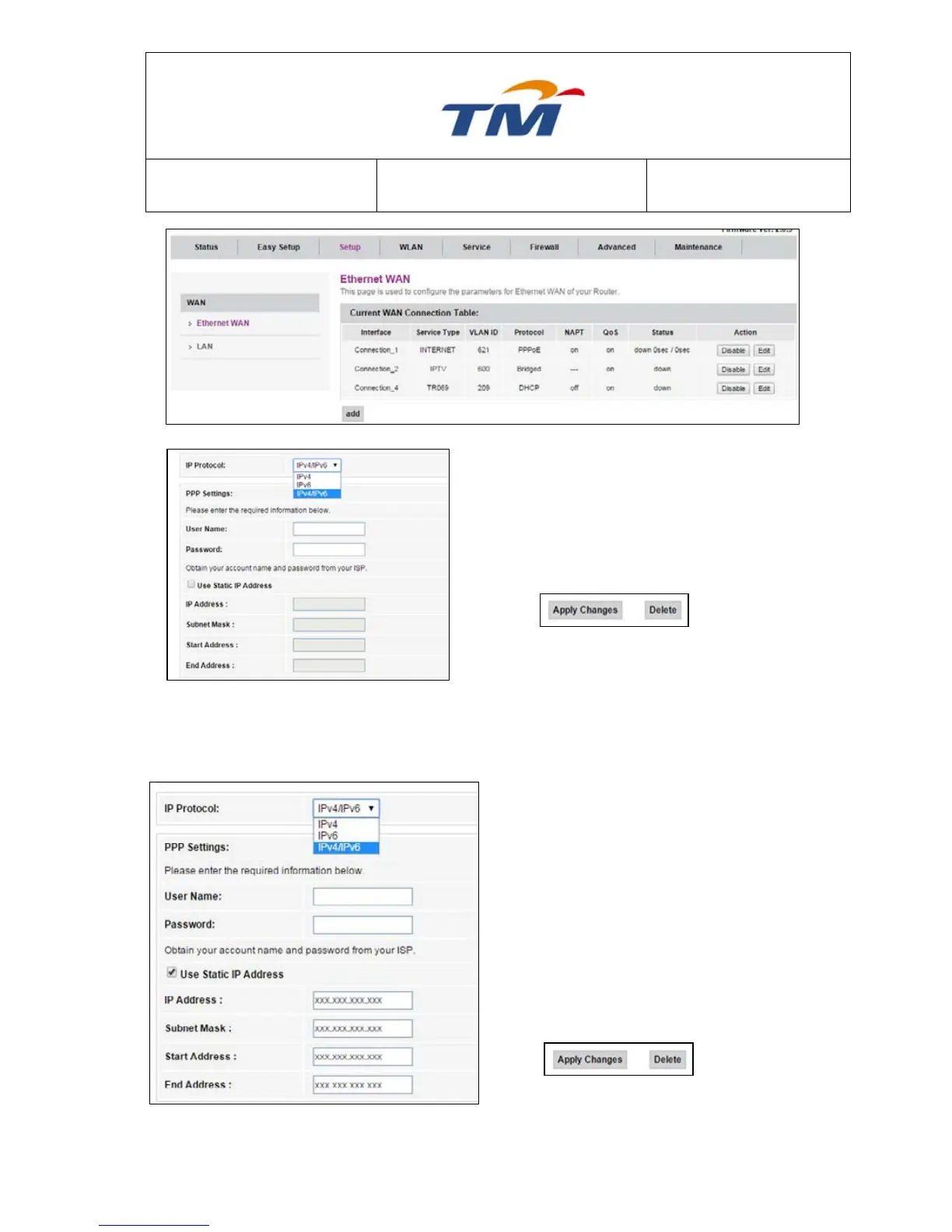
Step1 Select the IP Protocol, By Default is IPv4 &
IPv6
Step2 Key In the PPPoE Username (Provided by
your Internet Service Provider)
Step3 Key In the PPPoE Password (Provided by
your Internet Service Provider)
Step4 Click Apply Changes at the bottom of the
page.
6.1.3 Configuration of Static Account
Step1 Select the IP Protocol, By Default is IPv4 &
IPv6
Step2 Key In the PPPoE Username (Provided by
your Internet Service Provider)
Step3 Key In the PPPoE Password (Provided by
your Internet Service Provider)
Step4 Tick the Use Static IP Address check box
to key in static IP Address.
Step5 Key In the Static IP Address (Provided by
your Internet Service Provider), Subnet
Mask, Start Address & End Address.
Step6 Click Apply Changes at the bottom of the
page.



 To Next Page