- 51 -
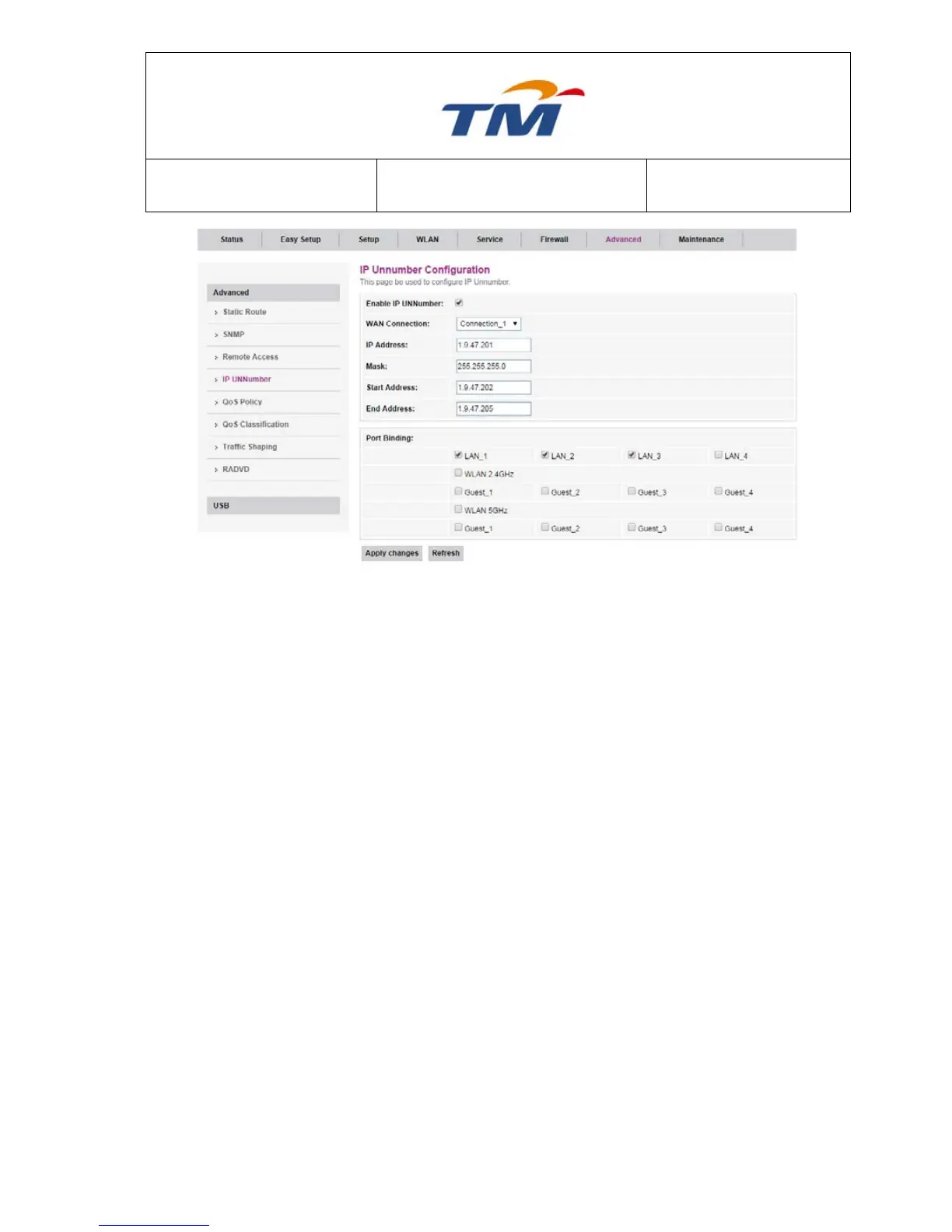
Enable IP UNNumber Enable or disable static routing on the connection.
WAN Connection The WAN interface which will set with IP UNNumber.
IP Address Key in the IP Address provided by your Internet Service
Provider.
MASK Key in the mask provided by your Internet Service Provider.
Start Address Key in the Start Address which is the same IP address prefix
with IP Address.
End Address Key in the End Address which is the same IP address prefix
with IP Address.
Port Binding Can set the port binding with the wan connection.
6.6.5 QoS
QoS (Quality of Service) is designed to provide a better service for the specified network
communication. User can use QoS function to limit total bandwidth and set QoS mode. If choose
user customized mode, you can edit QoS rules in QoS Classification page.



 To Next Page