- 55 -
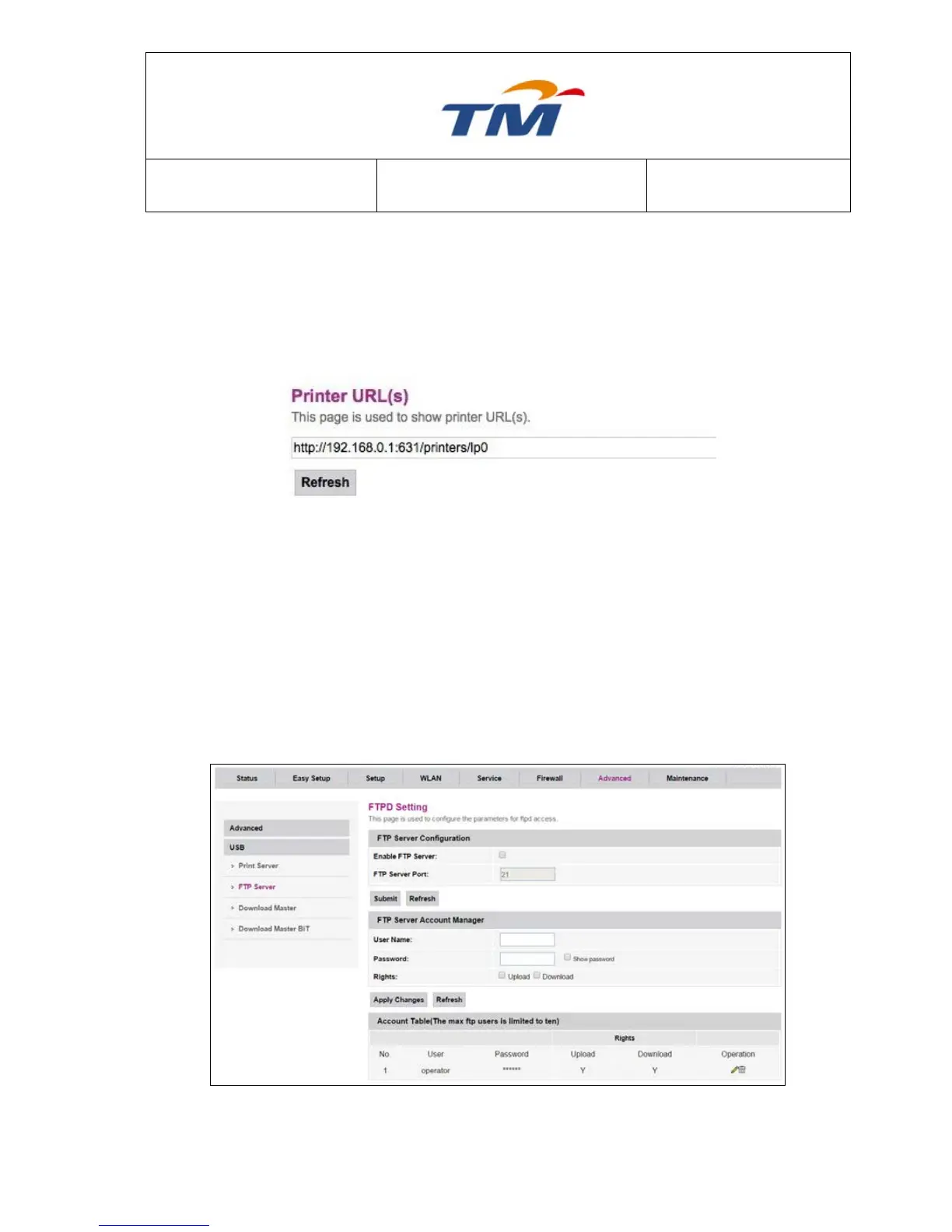
6.6.9 Print Server
Printer Server is a device that connects printers to client computers via a network. It accepts print
jobs from the computers and sends the print jobs to the appropriate printers. It can even queues
the jobs locally to accommodate the fact that jobs may arrive more quickly than the printer can
actually handle.
6.6.10 FTP Server
An FTP server is running on the device, so you can do the files exchange with the USB mass
storage device through FTP application.
First, the USB disk should be inserted into the USB interface. System can show the USB status.
Key in the FTP Server Port and enable the FTP Server, click ―Submit‖. Key in the FTP Server
Account Manager’s User Name and Password, and then, choose the Manager’s Rights and click
―Apply Changes‖.



 To Next Page