EasyManua.ls Logo

TM RGX4400 - WLAN Access Control

TM RGX4400
78 pages
Print Icon
To Next Page IconTo Next Page
To Previous Page IconTo Previous Page
Loading...
SYSTEM TECHNOLOGY
Doc. No.:
ST/WI/RG/RGX4400
Revision No: 1.0
- 23 -
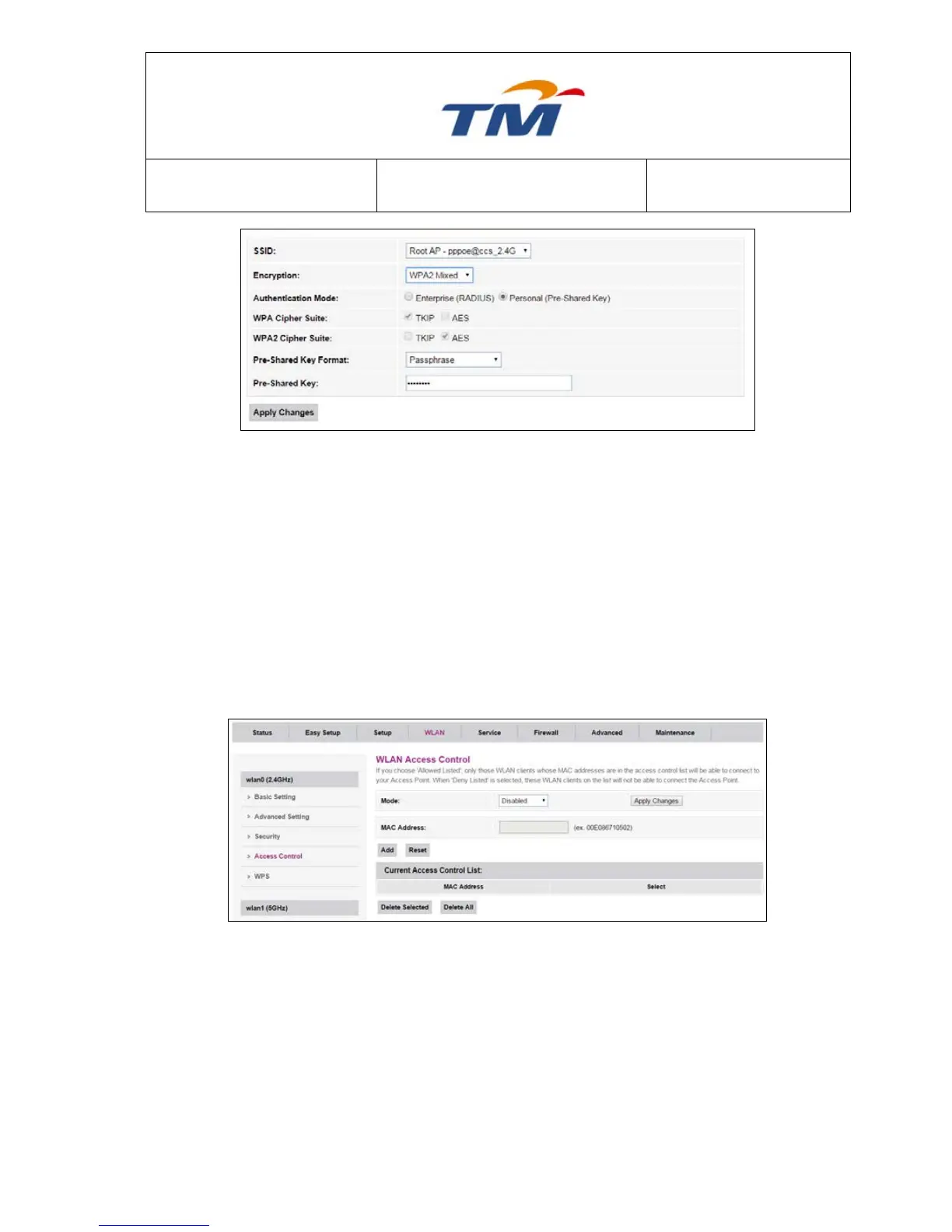
SSID
Click the dropdown list to select the SSID to be configure
Encryption
None, WEP, WPA2, and WPA2 Mixed can be selected in the
dropdown list.
Authentication Mode
Enterprise type or Personal type to be selected.
WPA Cipher Suite
TKIP & AES can be selected.
WPA2 Cipher Suite
TKIP & AES can be selected.
Pre-Shared Key Format
Passphrase & HEX can be selected in the dropdown.
Pre-Shared Key
Password for the SSID.
6.3.4 WLAN Access Control
In this Page, you can enable or disable Access Control. By clicking the dropdown list you can
select allow listed or deny listed, If Access Control is disabled, the function of Add MAC List is
disabled.
If MAC Access Control is enabled, you can configure allow or deny list by adding MAC address,
the MAC address can be seen in the list at the page.


Table of Contents