Doc. No.:
ST/WI/RG/RGX4400
- 41 -
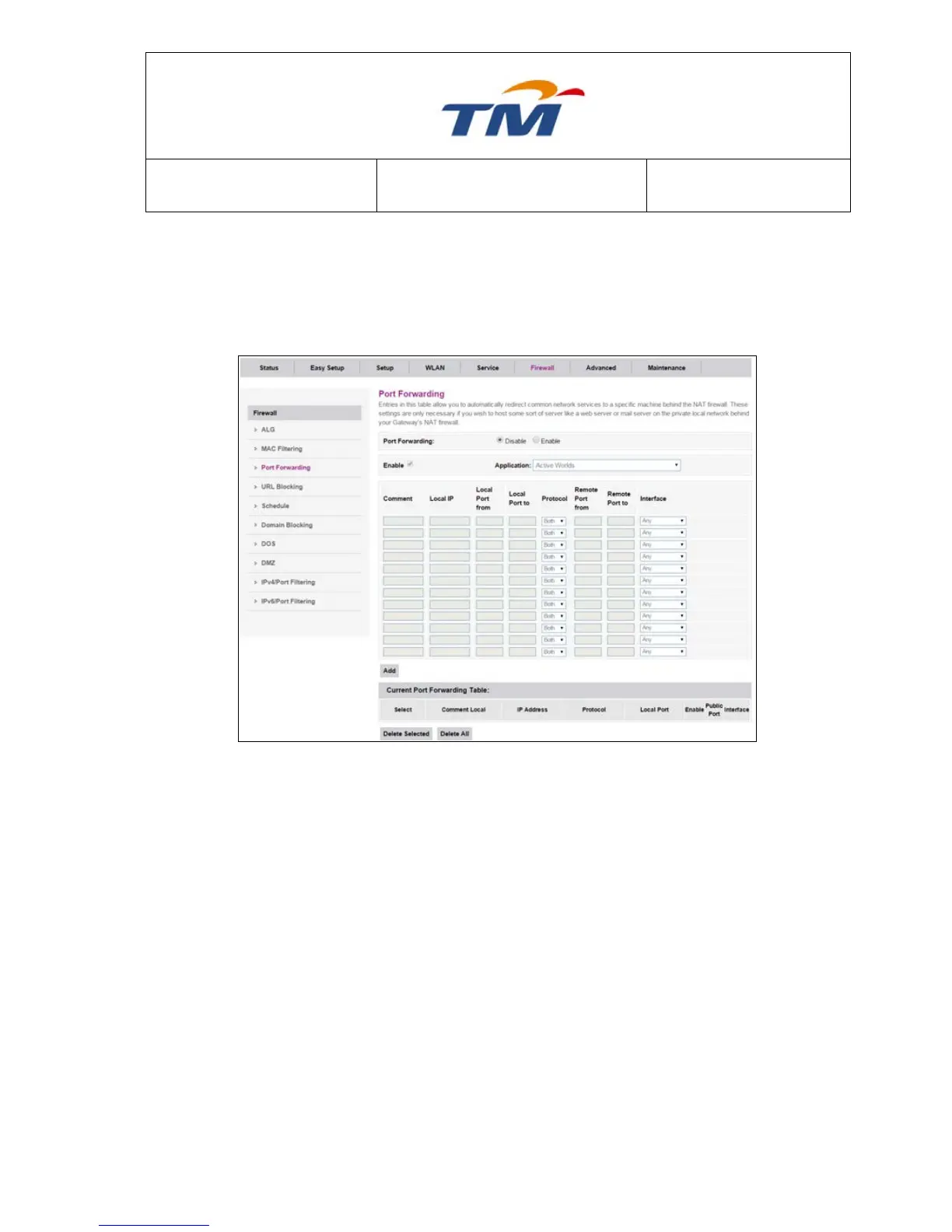
6.5.3 Port Forwarding
This function allows you to automatically redirect common network services to a specific machine
behind the NAT firewall. These settings are necessary if you wish to provide some sort of servers,
like web server or mail server on the private local network behind your Gateway's NAT firewall.
Enable or disable port forwarding.
Enter some description of port forwarding.
Set the start range of local ports.
Set the end range of local ports.
The protocol that the virtual server adopts at the transmission layer.
You can select TCP or UDP.
Set the start range of remote ports
Set the end range of remote ports.
Set the type of interface of the internal network.
6.5.4 URL Blocking
If you want to block LAN PC’s access to some unsuitable websites, then this is the right place to
be configured. Here, you can configure URL´s or certain phrases with little effort.



 To Next Page