- 68 -
7.0. Configuring the IP Address in Windows XP
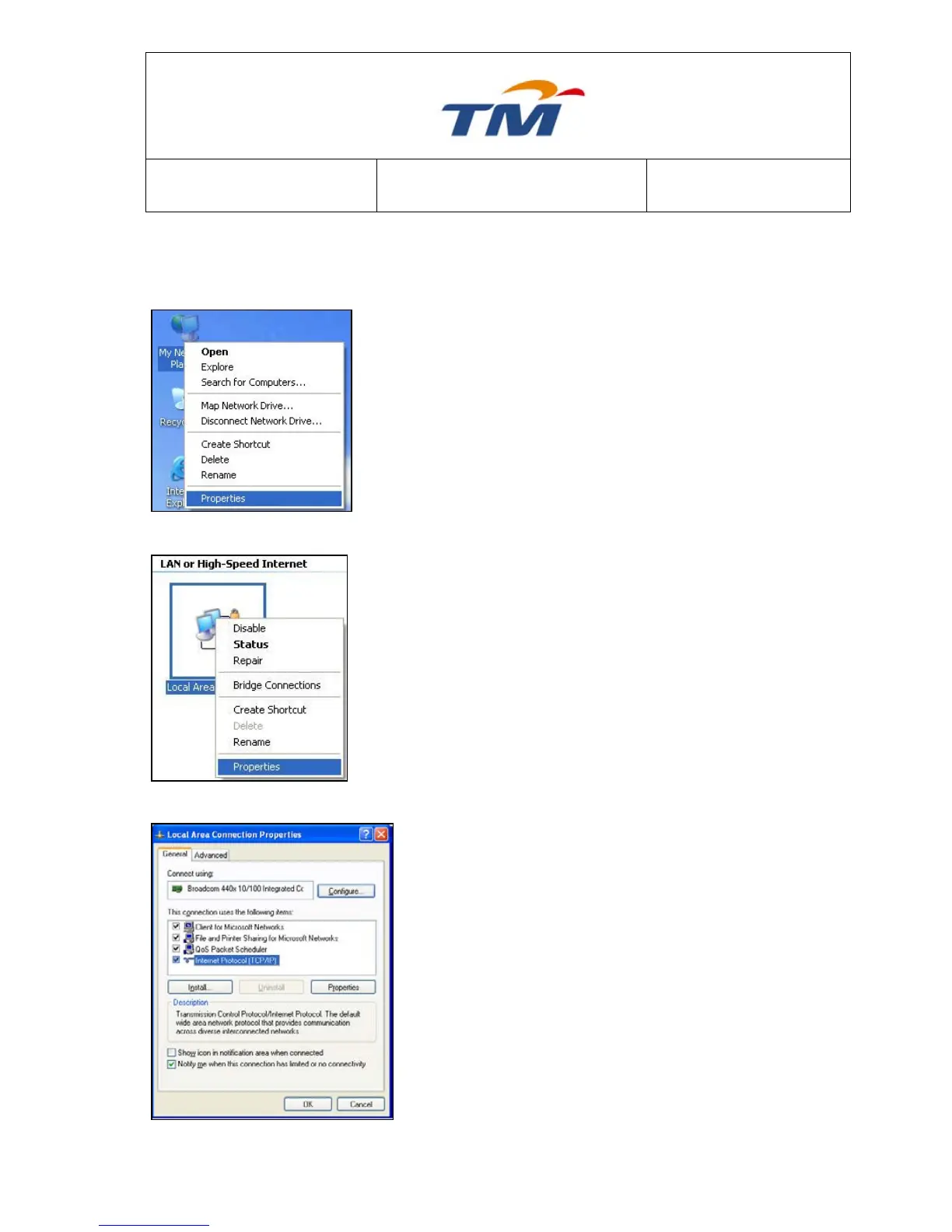
The following describes the procedure for configuring the IP address on a PC of Windows XP:
Step1 Right-click the icon of My Network Places and
choose Properties in the menu. The Network
Connections page appears.
Step2 Right click the network adapter icon and select
Properties in the menu. The Local Area
Connections Properties appears. (Note: if you
have several network cards, it may not display the
Local Area Connections Properties page. It may
display other dialog boxes.)
Step3 Double-click the Internet Protocol (TCP/IP), and
the Internet protocol (TCP/IP) Properties page
appears.



 To Next Page