- 69 -
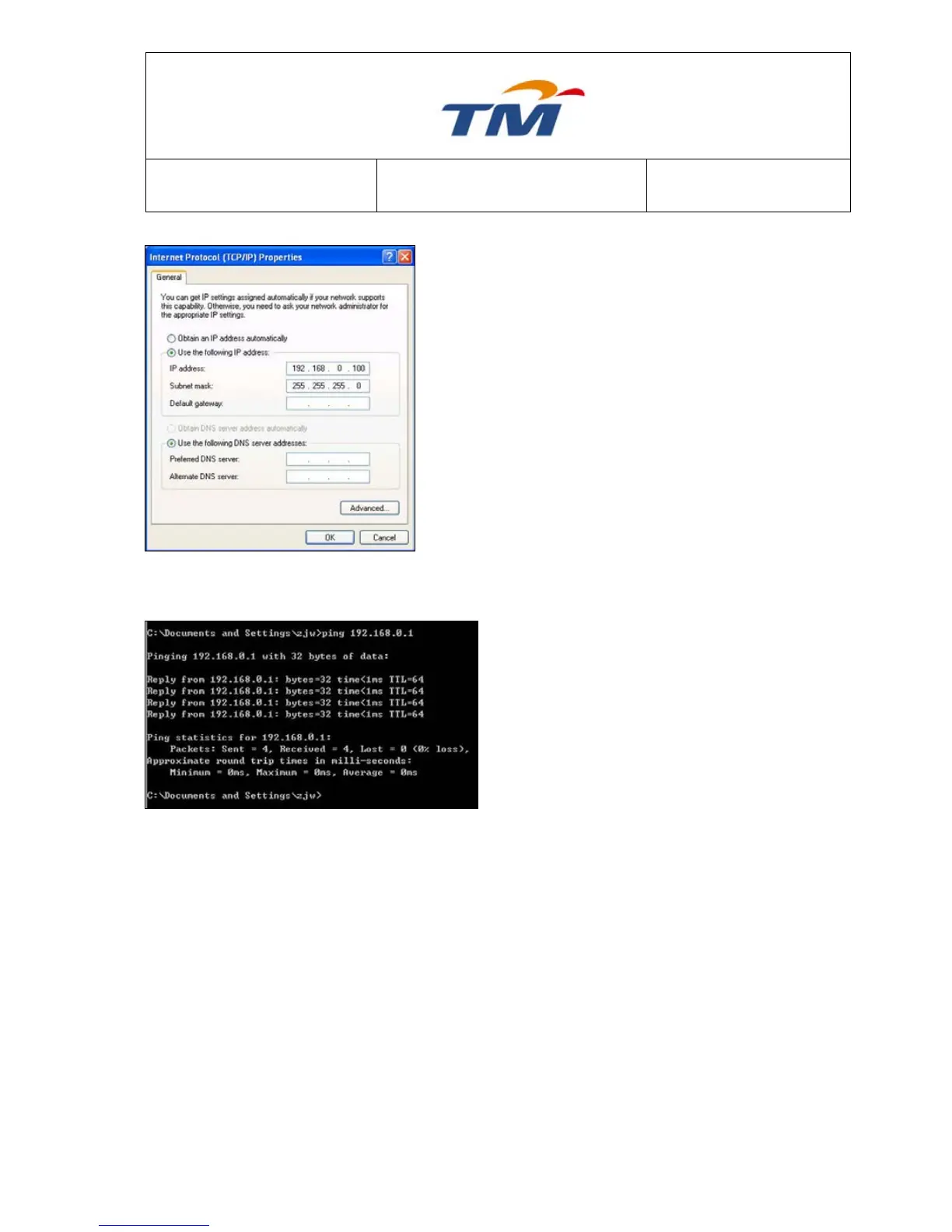
Step4 Select Use the following IP address and enter
the IP address of the network adapter. The IP
address should belong to the IP pool
192.168.0.X (X is a number from 2 to 254).
Step5 Ping the default IP address of the
WIRELESS ROUTER. If the left page
appears, the network connection of
your wireless router is normal.



 To Next Page