Doc. No.:
ST/WI/RG/RGX4400
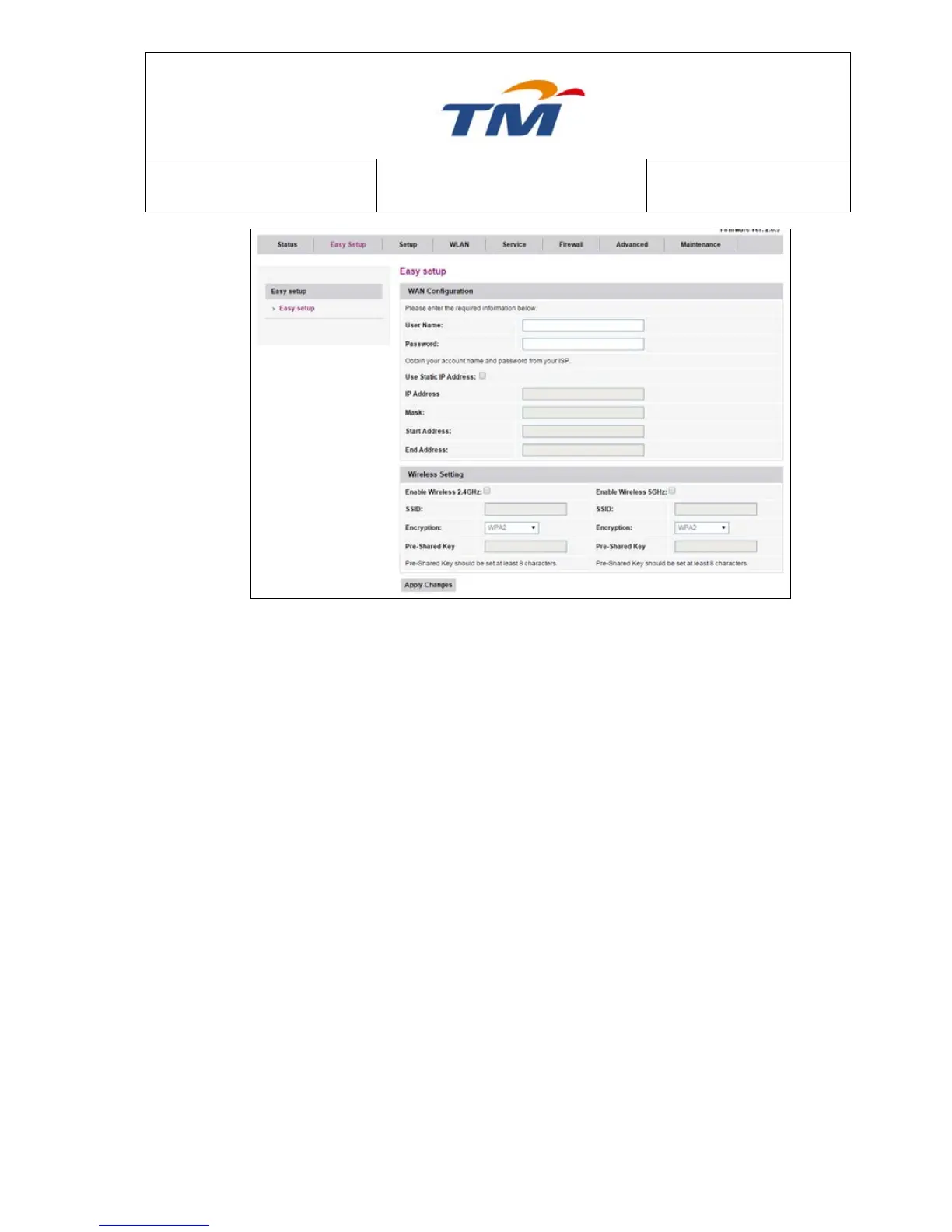
It is the user name for log in through PPPoE.
It is the password for log in through PPPoE.
Tick the Check Box; if you need to set a static IP Address for
PPPoE connection.
Static IP Address Provide by your ISP.
The start IP address of the IP address pool from which the
DHCP server assigns the IP address to the PC.
The end IP address of the IP address pool of the DHCP server.
Enable Wireless 2.4Ghz &
5Ghz
Tick the Check Box to Enable 2.4Ghz or 5Ghz Wireless.
Wireless Name for 2.4Ghz & 5Ghz
Set the Pre-Shared key (Password)
6.1.2 Configuration of Dynamic Account
Choose Setup, Then Select Ethernet WAN to configure PPPoE Setting



 To Next Page