- 53 -
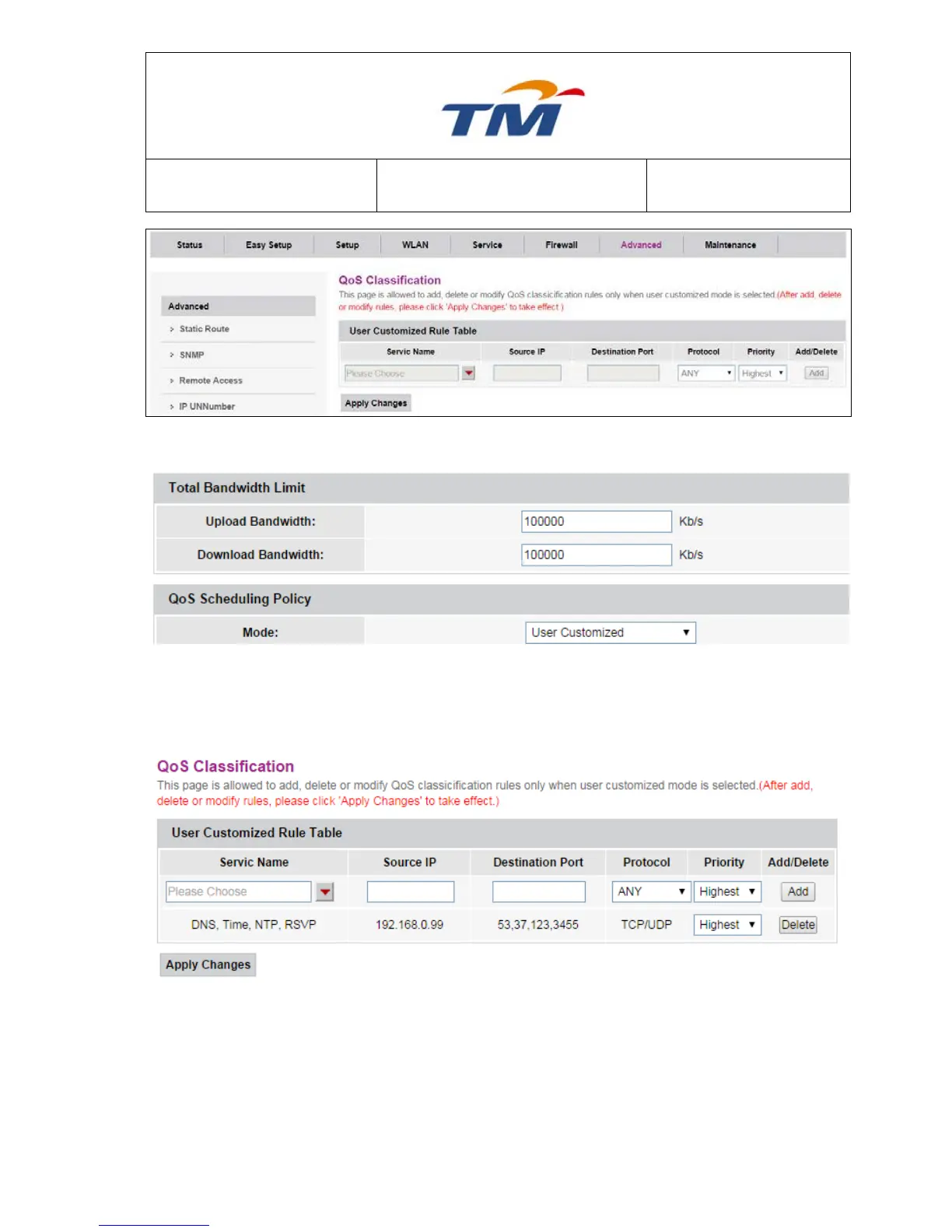
If you choose the user customized mode of the 6.6.5 .
You should set the Upload Bandwidth and Download Bandwidth first. Next, you can choose the
service name, and then you must key in the Source IP and Destination Port, choose the protocol
and set the priority. After you click ―Add‖, there is one rule in the Table. At last, you should click
―Apply Changes‖ after confirm.
6.6.7 Traffic Shaping
QoS Traffic Management is used to set the specific percent of the Upload Bandwidth & Download
Bandwidth according to the specific priority.



 To Next Page