Defines the number of hops between network nodes that
data packets travel. The default value is 0, which means
that the subnet is directly connected with the local LAN
network.
Add Route Add a user-defined destination route.
Update Update the selected destination route on the Static Route
Table.
Delete Selected Delete a selected destination route on the Static Route Table
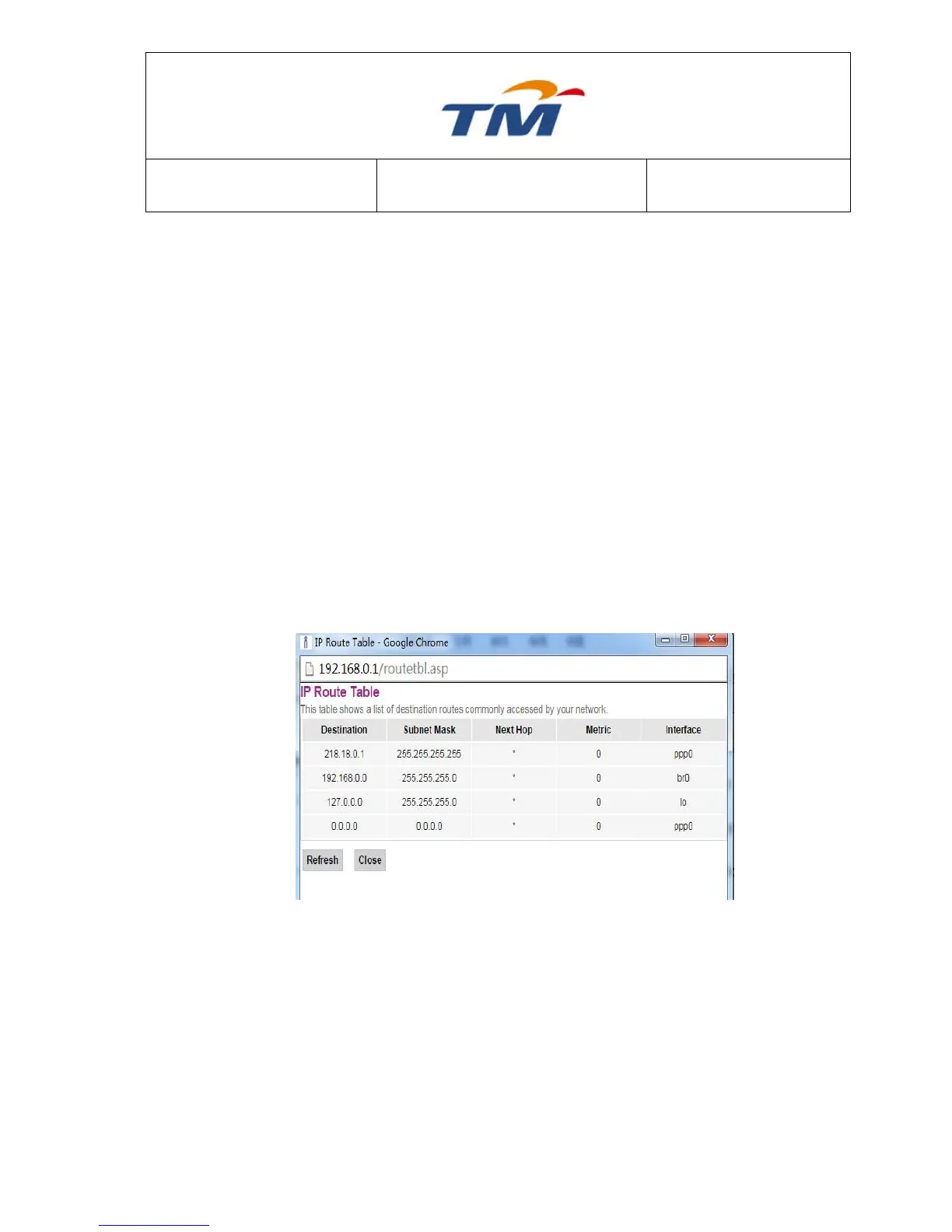
Show Routes Click this button to view the device’s routing table. The IP
Route Table displays in following Figure.
6.6.2 SNMP
Simple Network Management Protocol (SNMP) is a popular protocol for network management. It is
used for collecting information from network devices and configuring network devices. The network
devices include servers, printers, hubs, switches, and routers on an Internet Protocol (IP) network.



 To Next Page