Doc. No.:
ST/WI/RG/RGX4400
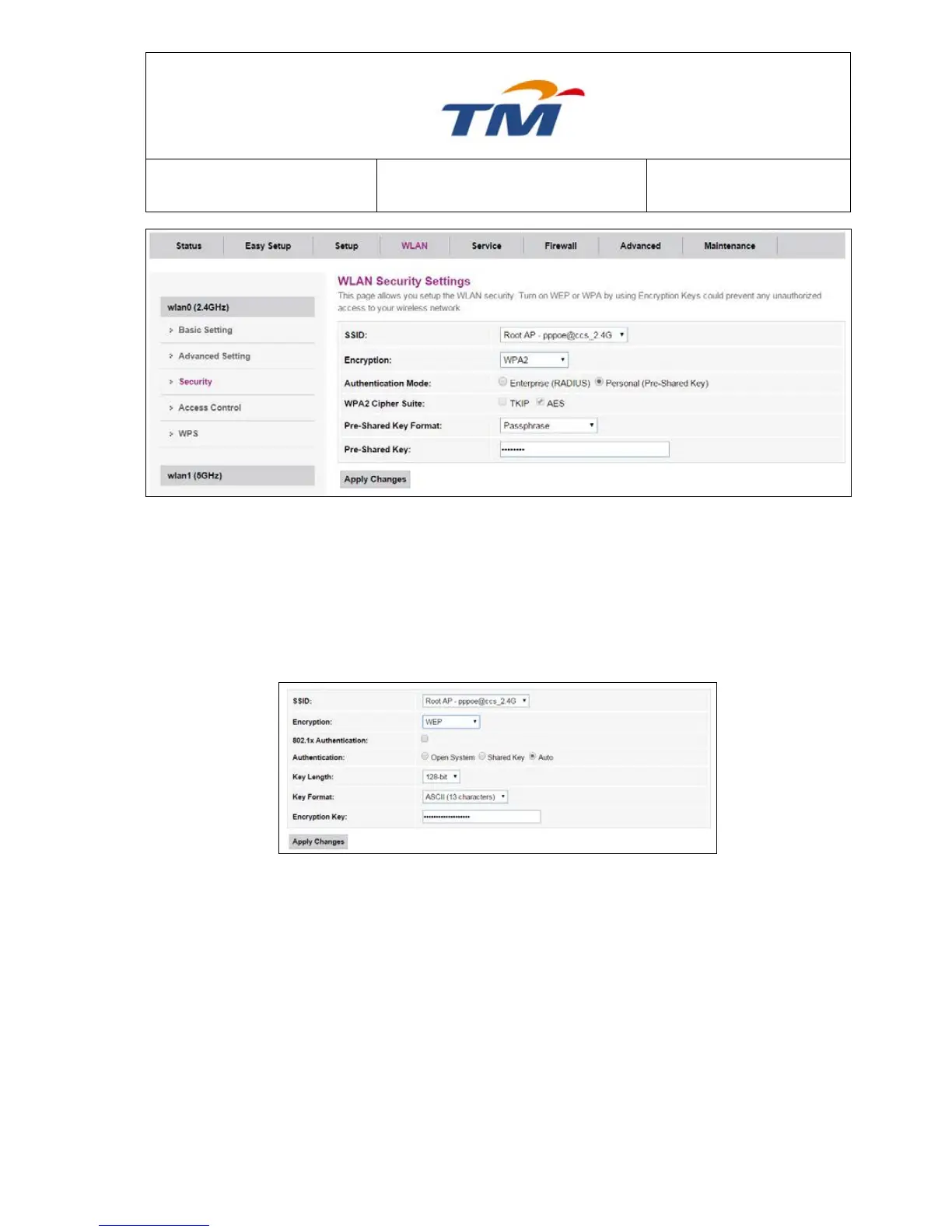
Click the dropdown list to select the SSID to be configured.
None, WEP, WPA2, and WPA2 Mixed can be selected in the
dropdown list.
Enterprise type or Personal type to be selected.
TKIP & AES can be selected
Passphrase & HEX can be selected
Select which type of Authentication to be used
for this wireless interface
64-bits For 10 hex digits or 5 ascii & 128-bits
For 26 hex digits or 13 ascii.
Selected 64-bits dropdown only showed ASCII
(5 characters) & HEX (10 characters). Selected
128-Bits dropdown only showed ASCII (13
Characters) & HEX (26 Characters).



 To Next Page