- 12 -
6.2 Setup
6.2.1 Ethernet WAN
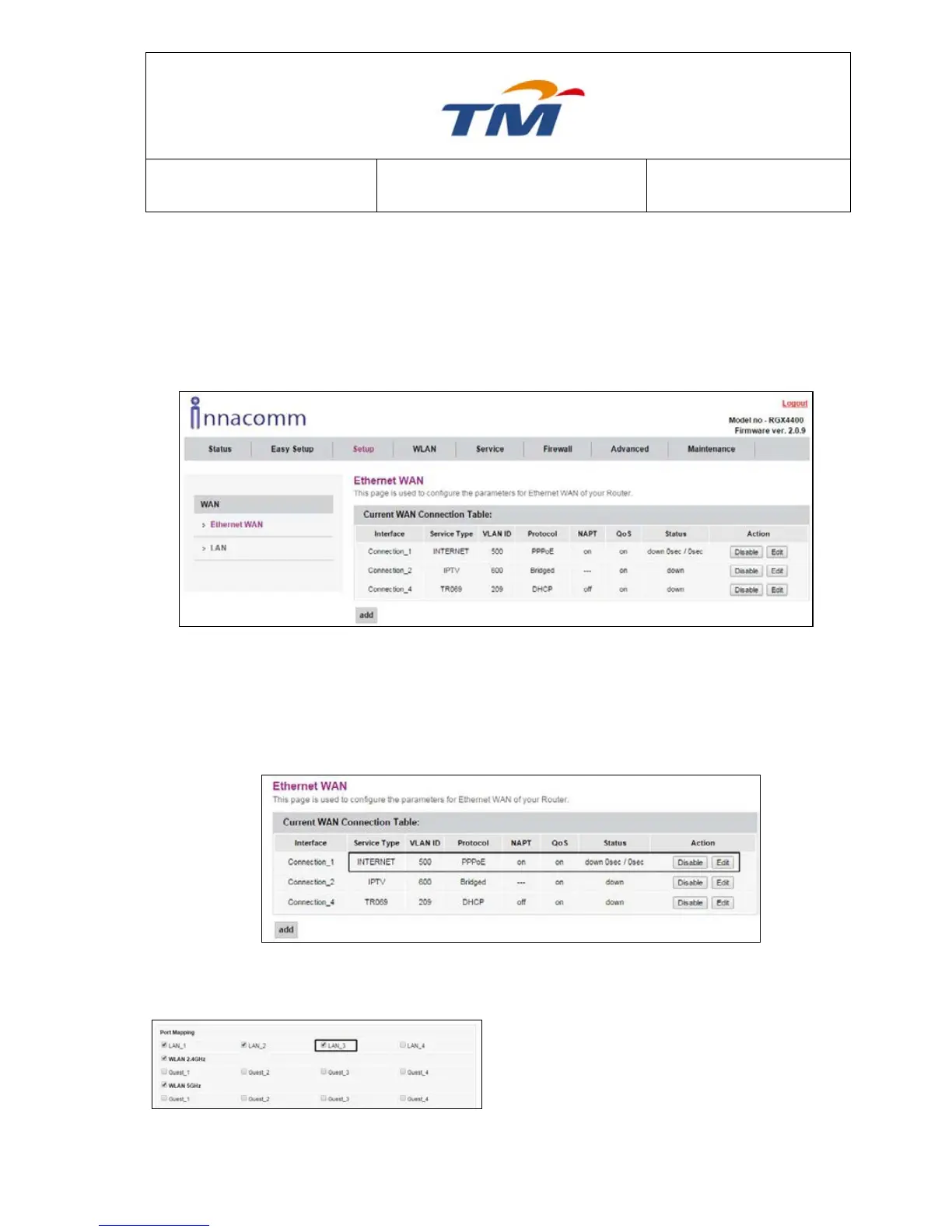
Choose Setup > Ethernet WAN, and the WAN Interface page appears. In this page, you can
add a new WAN connection or edit the pre-set WAN connections. As the WAN Configuration
page appears, there are 3 pre-set WAN connections with the Protocol types are PPPoE,
Bridge, and DHCP.
But before adding a new WAN connection, you need to modify the bound LAN ports of the pre-
set WAN connections as LAN1-LAN4 has been bound, and no available LAN ports for new
WAN connections.
To add a new WAN Connection, do as follow:
Step2 In the coming page, find the Port
Mapping section as the right figure
appears.
Step3 Uncheck at least one LAN port and
click Apply at the bottom of the page



 To Next Page