3-67
Chapter 3
INSTALLATION AND SETTING PROCEDURES (HARDWARE)
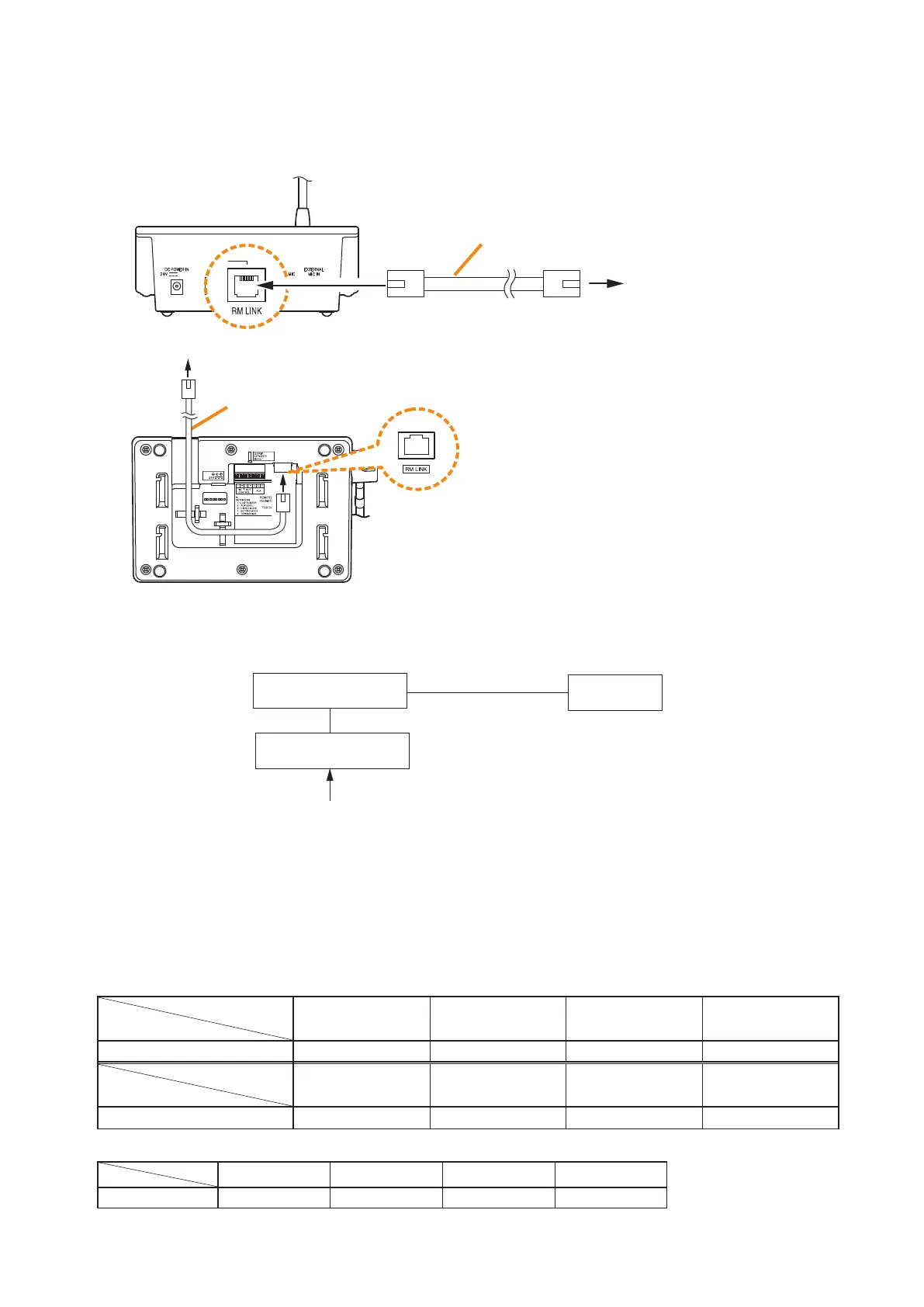
8.3.4. RM-300X and RM-500 connection
RM-300X rear
Connection cable
(with RJ45 connectors)
To VX-3000F
• When VX-3000DS or VX-3150DS is operating on AC power
The following table shows the maximum cable distance when STP Category 5 straight cable (with RJ45
connectors) is used.
[RM-300X]
No. of extension
units
Cable
RM-300X alone
RM-300X +
RM-210F x 1
RM-300X +
RM-210F x 2
RM-300X +
RM-210F x 3
STP Category 5 336 m 251 m 200 m 166 m
No. of extension
units
Cable
RM-300X +
RM-210F x 4
RM-300X +
RM-210F x 5
RM-300X +
RM-210F x 6
RM-300X +
RM-210F x 7
STP Category 5 142 m 124 m 110 m 98 m
[RM-500]
Unit
Cable
RM-500 x 1 RM-500 x 2 RM-500 x 3 RM-500 x 4
STP Category 5 623 m 310 m 206 m 153 m
Connect the RM-300X or RM-500 to either of the RS LINK A or RS LINK B connector of the VX-3000F.
The maximum cable distance depends on how power is supplied.
[When power is supplied from the VX-3000F used with the VX-3000DS or the VX-3150DS]
VX-3000F
RM-300X
or RM-500
VX-3000DS
or VX-3150DS
AC power
or
Battery
RM-500 bottom
Connection cable
(with RJ45 connectors)
To VX-3000F



 To Next Page