3-92
Chapter 3
INSTALLATION AND SETTING PROCEDURES (HARDWARE)
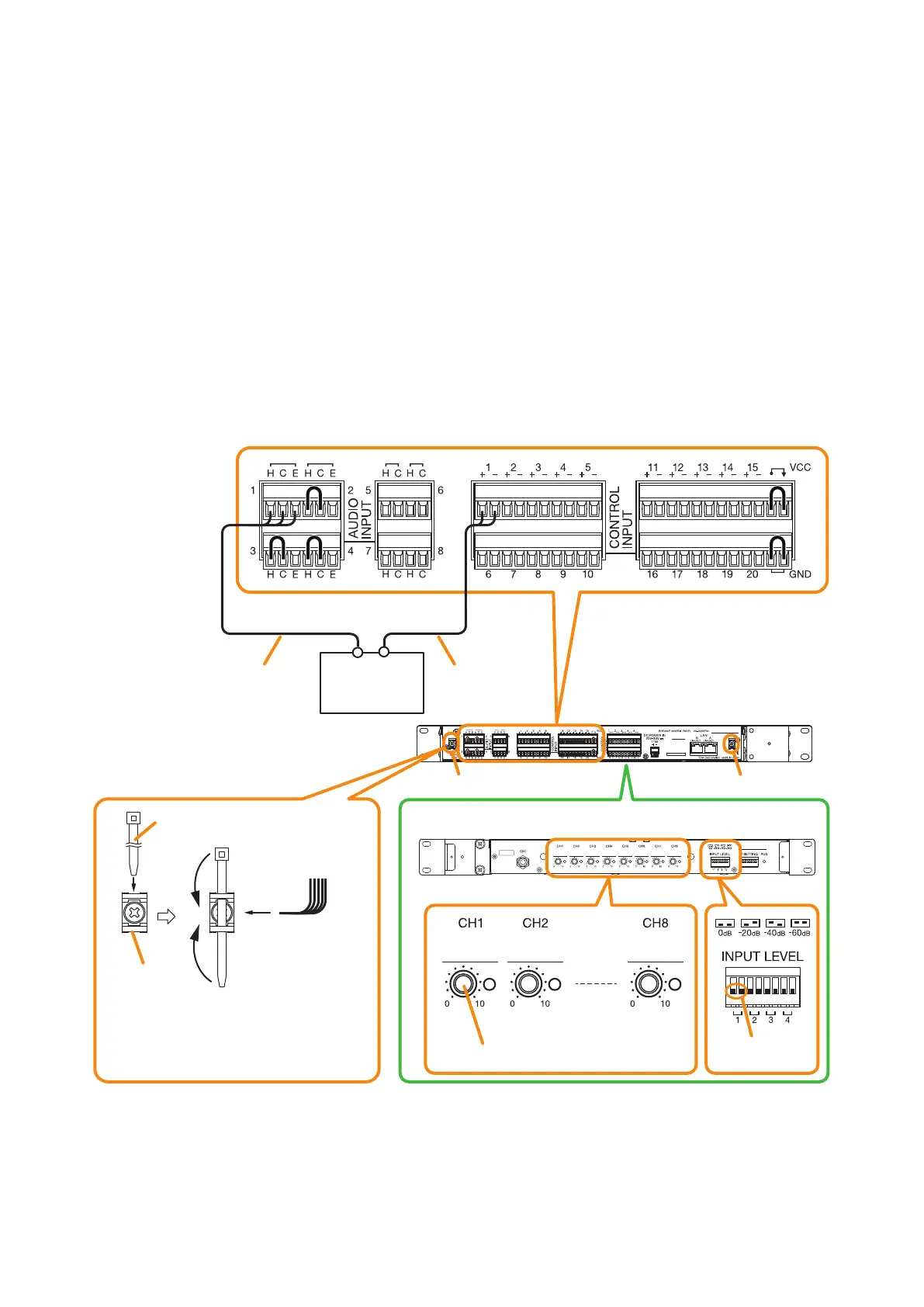
8.12. Preamp Matrix Panel Connection
8.12.1. Input equipment connections
Connect microphones or other music players to the audio inputs using 2-core shielded cables or single core
shielded cables.
Eight Input channels (1 through 8) are provided for the audio inputs. Use 2-core shielded cables for connection
to Audio inputs 1 through 4, and single core shielded cables to Audio inputs 5 through 8.
If the music player has a control output, connect the control output to the control input of the Preamplier matrix
panel.
The input signal levels of Audio inputs 1 through 4 of the Preamplier matrix panel can be selected by the front-
mounted input level setting switches.
Also, the front-mounted volume controls allow the individual volume adjustment of Audio inputs 1 through 8.
Make the input-related settings such as purpose of use and audio source type using the VX-3000 Setting
Software. (See the separate Setting Software Instructions, "Unit Conguration Settings.")
Music player
VX-3000PM (rear)
VX-3000PM (front panel detached)
Input level
setting switch
Volume control
Note
Remove the jumper wire from the terminal to use.
Never remove others.
1
2
3
Control
(Make contact)
Cable tie fixtureCable tie fixture
Audio signals (–20 dB
*, 600 Ω)
* 0 dB = 1 V
To prevent the removable terminal plug
from coming off, pass the cable tie
through the cable tie fixture (on the left
and right places), then secure the wiring to
the removable terminal plug using it.
Cable tie
Cable tie fixture
Wiring from the
removable terminal
plug



 To Next Page