3-52
Chapter 3
INSTALLATION AND SETTING PROCEDURES (HARDWARE)
6.18. Creating Remote Microphone Name Labels
(RM-200SF, RM-320F, RM-300X, and RM-210F only)
Using the VX-3000 Setting Software function, assigned names of preset RM-200SF, RM-320F, RM-300X, and
RM-210F Function keys can be printed out. Once printed, cut out the printed names with scissors to use them
as corresponding name labels. The paper used for the name label must be under 0.2 mm in thickness.
Note
For creating and printing name labels using the VX-3000 Setting Software, see the separate Setting Software
Instructions, "PRINTING LABELS FOR REMOTE MICROPHONES."
6.18.1. Inserting the name label
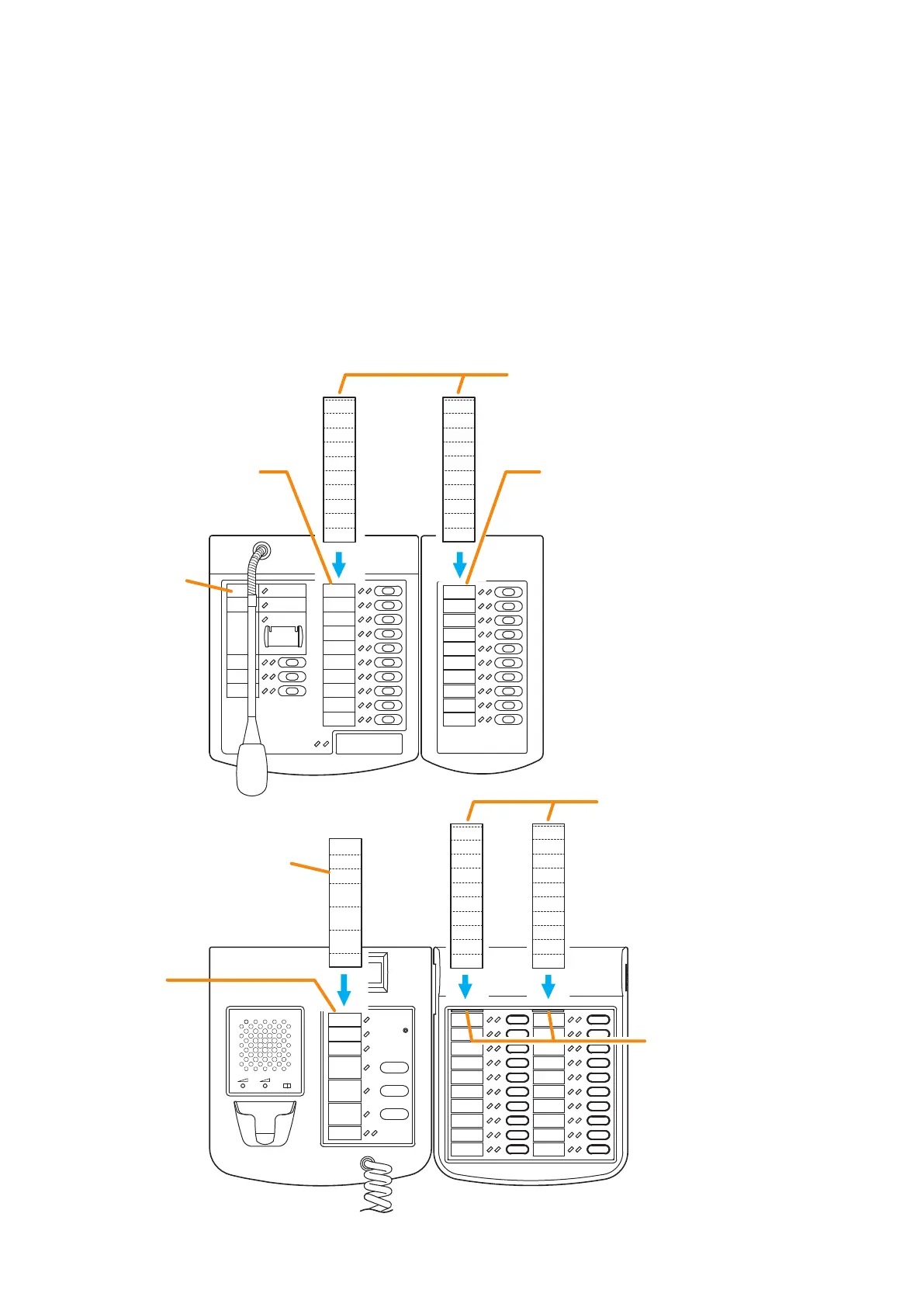
• Fully insert the name label cut to the instructed size into the label entry slit.
• To remove the label, pull it out of the slit using the tip of knife blade.
Power
Fault
CPU OFF
Emergency
Reset
Evacuation
EV
All Zones
Talk
Zone 6
Zone 7
Zone 8
Zone 9
Zone 10
Zone 1
Zone 2
Zone 3
Zone 4
Zone 5
Zone 1
Zone 2
Zone 3
Zone 4
Zone 5
Zone 6
Zone 7
Zone 8
Zone 9
Zone 10
Name label
entry slit
Name label entry slit
Name label entry slit
Name label entry slit
RM-300X RM-210F
RM-200SF RM-320F
Name label B*
Name label B*
Name label C*
Name label A*
* Created and printed using the VX-3000 Setting Software.



 To Next Page