3-34
Chapter 3
INSTALLATION AND SETTING PROCEDURES (HARDWARE)
6.9. Using an Auxiliary Input (RM-300X Only)
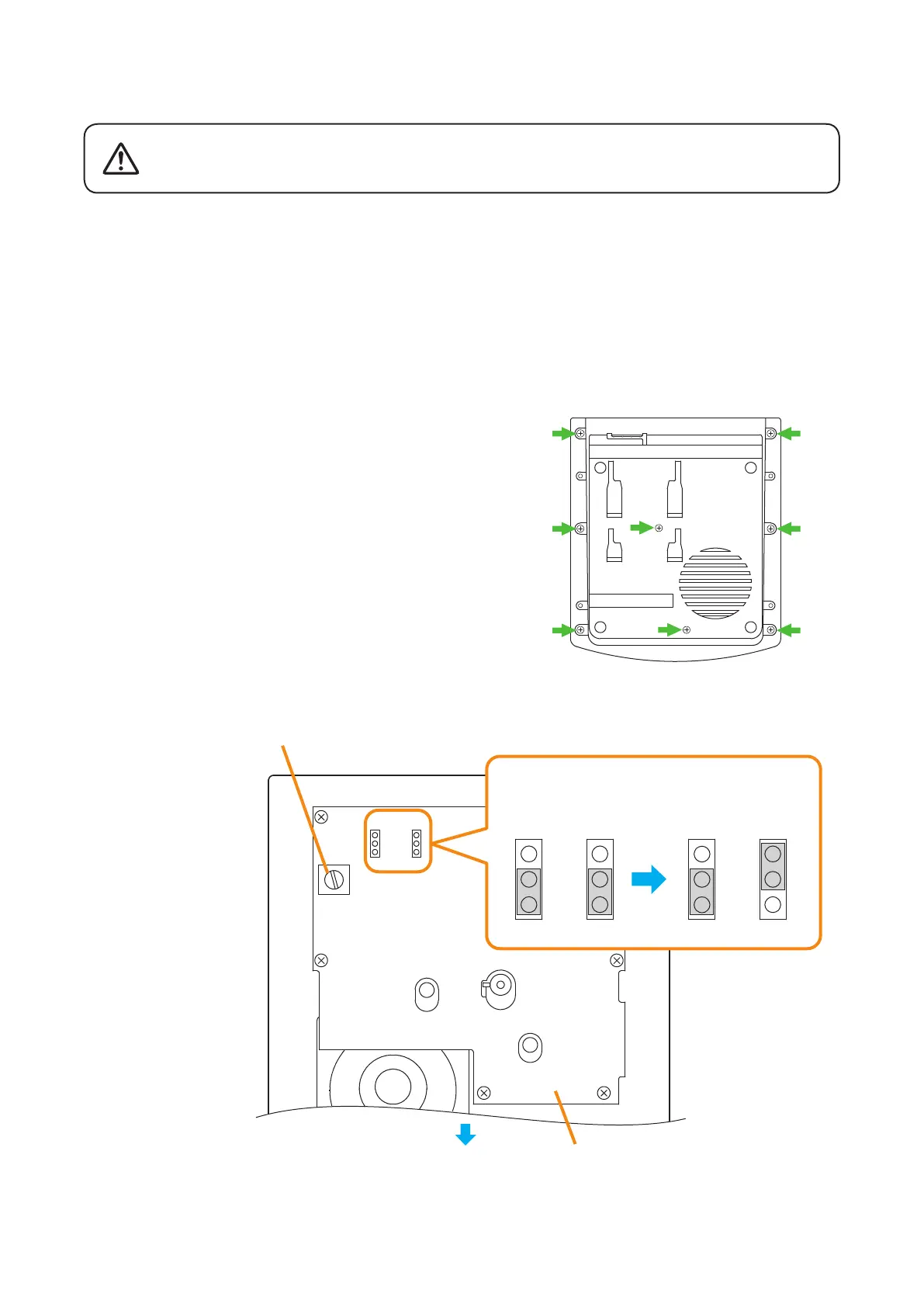
Changing the jumper settings on the RM-300X's circuit board causes an auxiliary input to be used.
Adjust the sound volume of the AUX input with the VR301 on the pc board.
Notes
• Turn off the power before starting this work.
• To avoid damage from static electricity, never touch the parts on the circuit board.
• An external microphone input (see p. 3-32) and an auxiliary input cannot be used at the same time.
Step 1. Unscrew 8 screws indicated by arrows in the gure at
right, then detach the RM-300X's upper case.
Note
Note the types of screws.
A: 3 x 8 tapping screw (white silver) ........... 6 pieces
B: 3 x 10 tapping screw (black) .................. 2 pieces
Step 2. Set the jumper's position (SW301 and SW302) on the
circuit board attached to the bottom plate as shown
below.
This change should only be performed by a qualified professional
electrician. If users open the unit case or modify the unit, this may
cause fire or electric shock.
WARNING
RM-300X bottom
A
A
B
B
A
A
A
A
SW301
VR301
SW302
SW301
SW302
SW301
SW302
RM-300X inner circuit board
AUX input volume control
Front side
When the AUX input
is not used.
(Factory-preset)
When the AUX input
is used.



 To Next Page