2-21
Chapter 2
NOMENCLATURE AND FUNCTIONS
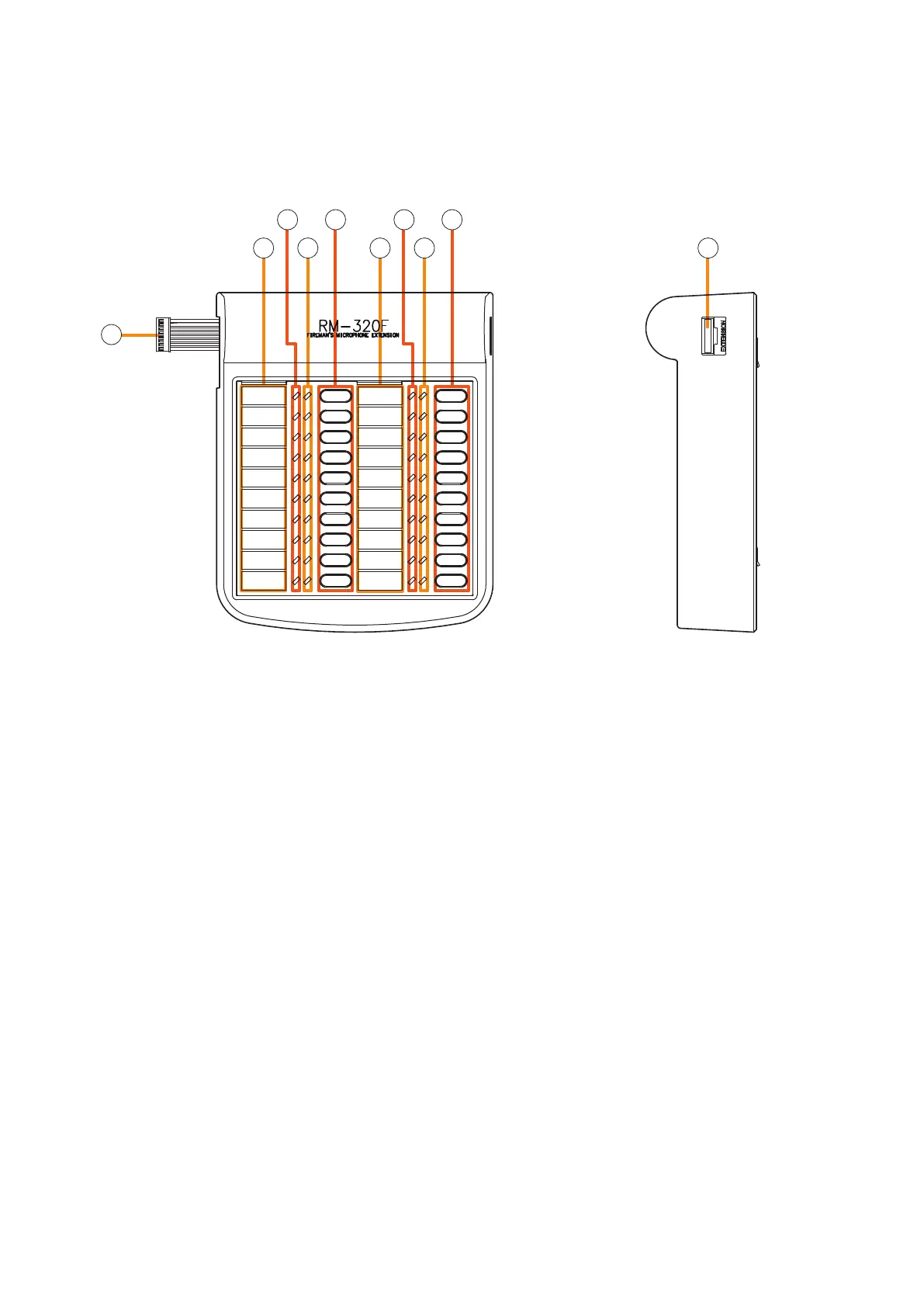
7. RM-320F FIREMAN'S MICROPHONE EXTENSION
Each connected RM-320F Extension unit adds 20 Function keys to the base RM-200SF.
[Front]
5
6
1
2
3
4
5
2
3
4
1. Connection cable
Used for connection to the RM-200SF or other
RM-320F.
2. Indication label insert slot
The label can be printed using the VX-3000 Setting
Software. (See the separate Setting Software
Instructions, "PRINTING LABELS FOR REMOTE
MICROPHONES.")
3. Status indicators (Red/Yellow/Green)
Light, ash, or go off depending on the current
operation state of function keys.
4. Selection indicators (Green)
Light or go off depending on the current operation
state of function keys.
5. Function keys (1 – 20)
Keys are numbered from 1 to 10 from upper left
to bottom and from 11 to 20 from upper right to
bottom.
Pressing a specic function key executes the
function that has been assigned to that key by the
VX-3000 Setting Software. Assignment of functions
to specic keys is done using the VX-3000 Setting
Software.
(See the separate Setting Software Instructions,
"RM Event Settings.")
6. RM connection terminal [EXTENSION]
Connect the other RM-320F to this terminal.
[Side]



 To Next Page