2-20
Chapter 2
NOMENCLATURE AND FUNCTIONS
[Wall mount bracket unit (Accessory)]
23
24
[Rear]
8
7
6
5
4
3
2
1
TERMINATION
CPU OFF
LEVEL METER
COMMUNICATION
UNIT ID
OnOff
DIP SWITCH
20 21 22
20. DIP switch
Used for setting the RM-200SF unit.
• Switches 1 – 3 [UNIT ID]
Set the RM-200SF's device number (ID number).
(See p. 3-19.)
• Switch 4 [COMMUNICATION]
Not used.
Normally set to OFF.
• Switch 5 [LEVEL METER]
Changes a broadcast status indicator (12) into
an output signal level indicator. (See p. 3-22.)
• Switch 6 [CPU off]
Sets whether the CPU off function (all-zone
emergency broadcasts) is enabled or disabled.
(See p. 3-30.)
• Switch 7
Not used. Normally set to OFF .
• Switch 8 [TERMINATION]
Sets the termination of the RM communication
line (Control communication lines between the
VX-3000F and the RM-200SF). Normally set to
OFF. (See p. 3-31.)
Note
By default, switches 1 – 5 and 7 are set to OFF,
and switches 6 and 8 to ON.
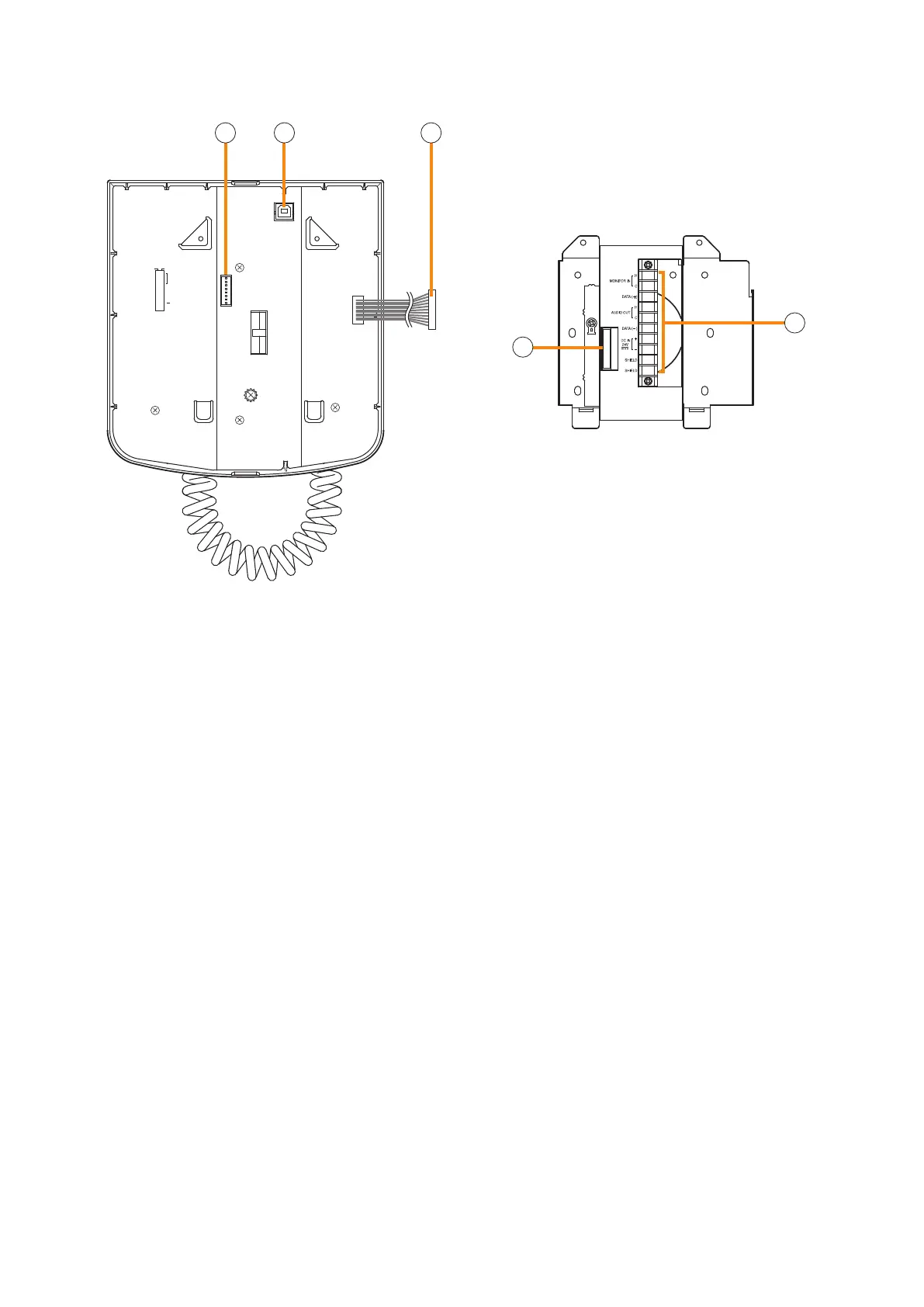
21. USB terminal
Not used.
22. Extension connector
Connect this connector to the extension connector
(23) of the Wall Mount Bracket Unit (accessory).
(See p. 3-42.)
23. Extension connector
Connect the cable extending from the RM-200SF
to this connector. (See p. 3-42.)
24. Screw terminal block
• Audio monitor line [MONITOR IN]
Connect the audio monitor input line from the
VX-3000F to the RM-200SF.
• RM communication line [DATA]
Connect the control communication line between
the VX-3000F and the RM-200SF.
• Audio output line [AUDIO OUT]
Connect the audio signal output line from the
RM-200SF to the VX-3000F.
• DC power input [DC IN 24 V]
Used to supply DC power from the VX-3000F to
the RM-200SF.
• Shield [SHIELD]
Used for the control line through which the
VX-3000F system conrms the RM-200SF's
connection.
Be sure to connect at least one of two terminals
to the VX-3000F.



 To Next Page