3-42
Chapter 3
INSTALLATION AND SETTING PROCEDURES (HARDWARE)
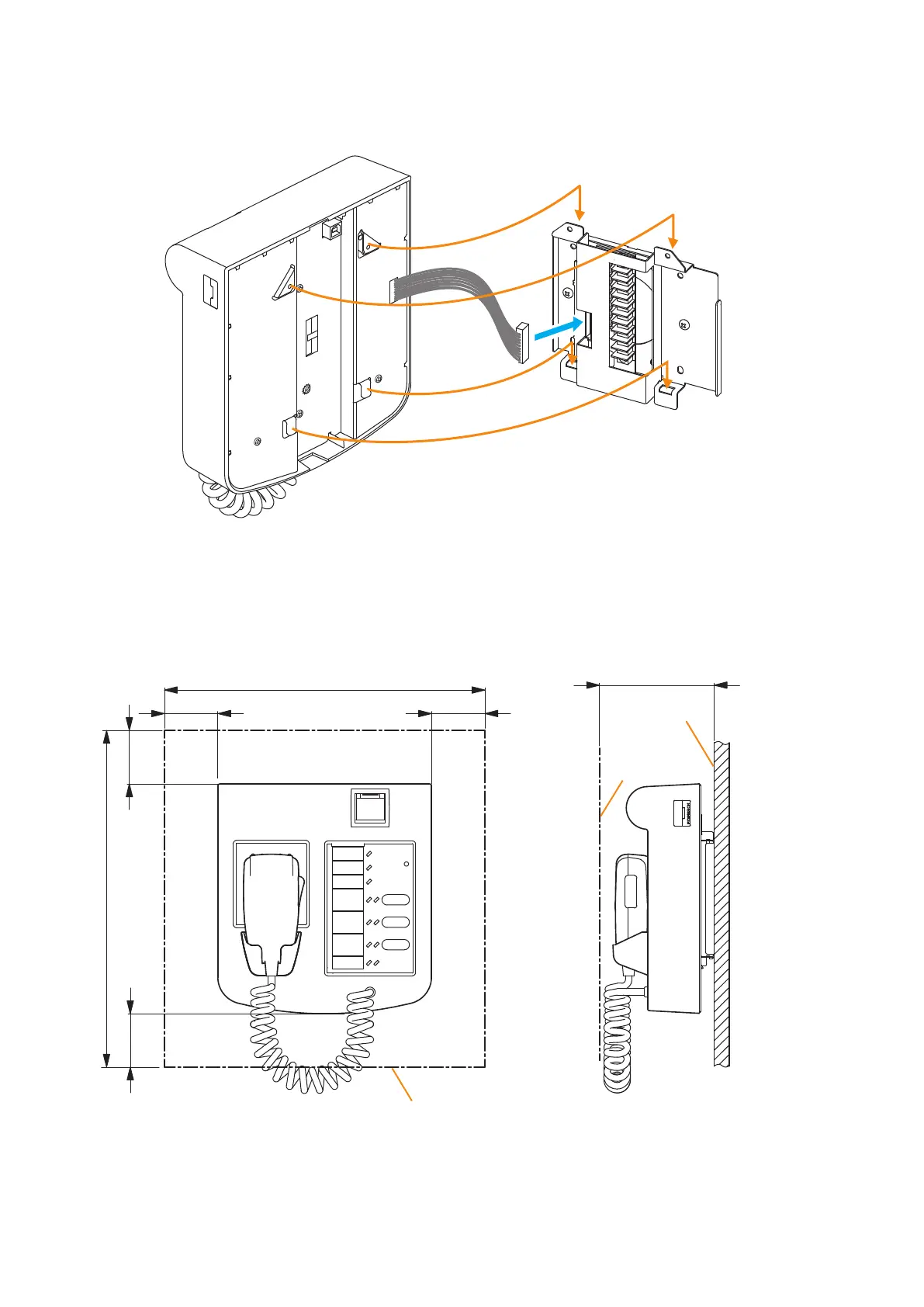
Step 3. Plug the RM-200SF's extension connector into the connector port on the wall mount bracket unit.
Step 4. Attach the RM-200SF unit to the wall mount bracket unit.
Connection cable
RM-200SF
Wall mount bracket unit
(supplied with the RM-200SF)
3
4
Note
When attaching the RM-200SF unit, check
that the connection cable is not pinched.
[When the RM-200SF is installed in a wall box]
When the RM-200SF is installed in a wall box (prepare separately), the box should measure at least 300 mm
wide x 315 mm high as illustrated below.
300 min.
50 min.
50 min.
50 min.
50 min.
315 min.
Effective depth: 100 min.
Mounting
base surface
Rear surface of
the front door
Inside dimension of the box
Unit: mm



 To Next Page