2-28
Chapter 2
NOMENCLATURE AND FUNCTIONS
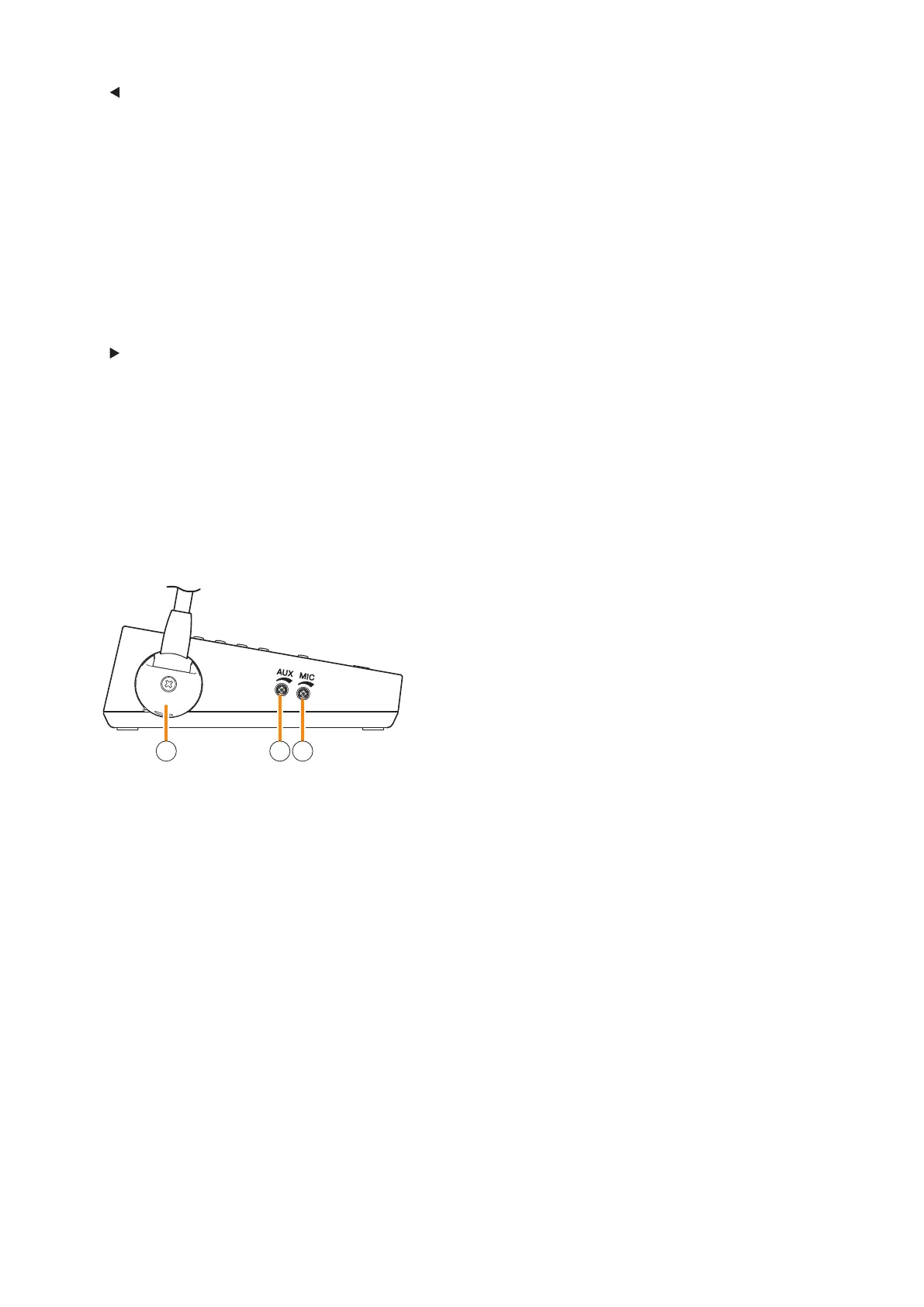
13 14 15
8. key
Press this key to move to the previous page from
the current page displayed on the LCD screen.
When the menu screen or the line number
registration screen is displayed, pressing this key
executes the operation as shown by the guide
displayed in the lower center of the screen.
9. Clear key
Terminates the broadcast when pressed while
broadcast is in progress.
Cancels the selection for all zones being selected
in normal mode on the LCD screen.
10 . key
Press this key to move to the next page from the
current page displayed on the LCD screen.
When the menu screen or the line number
registration screen is displayed, pressing this key
executes the operation as shown by the guide
displayed in the lower center of the screen.
11. Talk key
Press this key to broadcast a voice announcement.
Set the key operation mode to either PTT or Lock
at the system setup.
If the Talk key is set to "PTT" ("press-to-talk")
mode, then it must be pressed continuously for
the duration of the broadcast.
If the Talk key is set to "Lock" mode, then it must
be pressed once to turn the microphone on at
the beginning of a broadcast, then pressed again
to turn the microphone off once the broadcast is
nished.
(See the separate Setting Software Instructions,
"Unit Conguration Settings.")
12. Talk indicator (green)
Lights or goes off depending on the current
operation state of the Talk key.
[Left side]
13.Microphonexingcover
A cover to x the microphone.
For wall hanging installation, remove this cover
and change the orientation of the microphone.
(See p. 3-49 "Changing the orientation of the
microphone.")
14. AUX volume control
Adjusts the volume of AUX input.
Rotate this control clockwise to increase the
volume level and counterclockwise to decrease it.
The input level can be checked on the menu
screen.
(See p. 3-24 "Setting The RM-500's Menu.")
15. Microphone volume control
Adjusts the microphone volume.
Rotate this control clockwise to increase the
volume level and counterclockwise to decrease it.
The input level can be checked on the menu
screen.
(See p. 3-24 "Setting The RM-500's Menu.")



 To Next Page