3-6
Chapter 3
INSTALLATION AND SETTING PROCEDURES (HARDWARE)
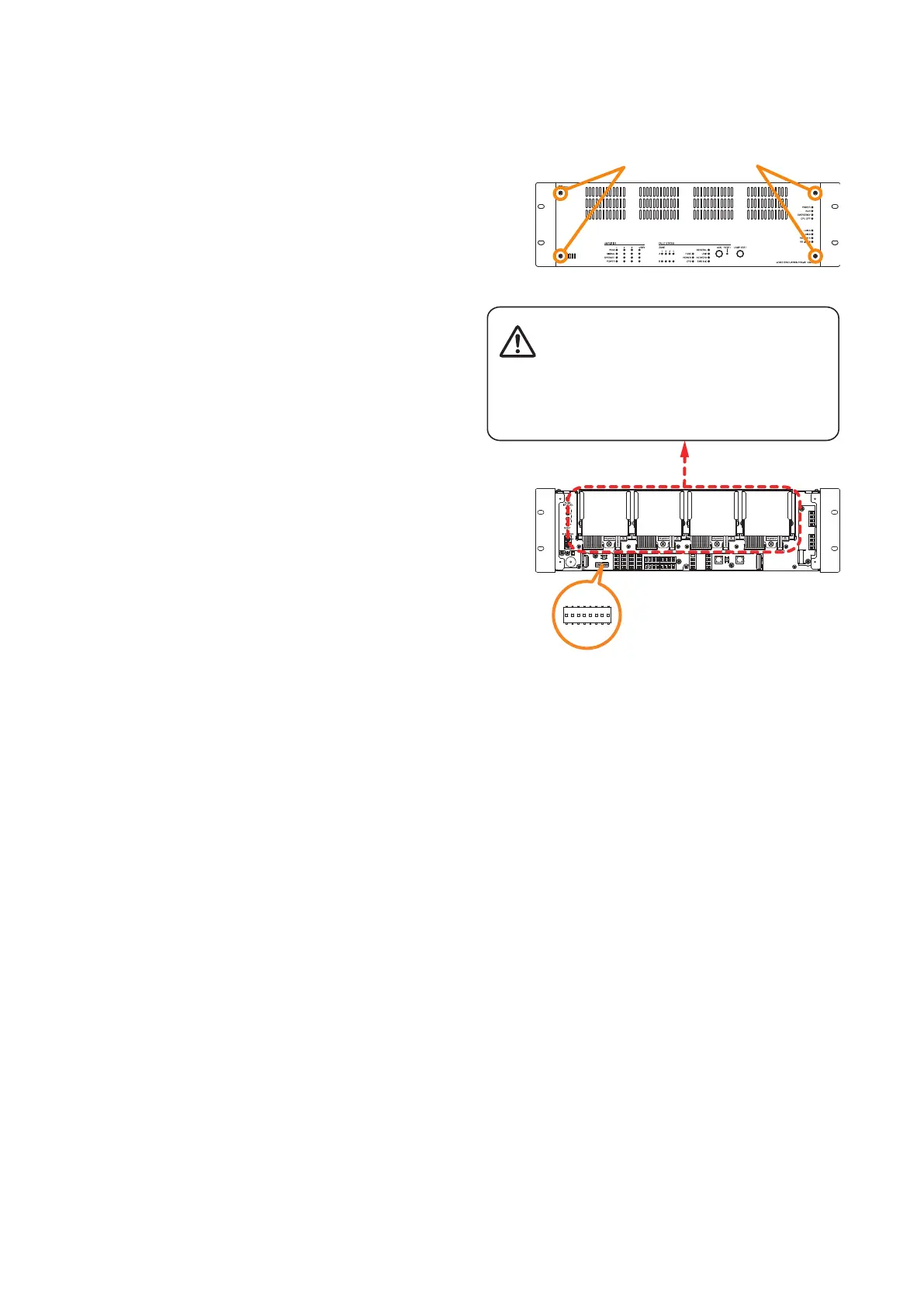
Step 1. Detach the front panel.
Remove 4 xing screws for front panel and detach
the front panel.
Step 2. Set the DIP switch.
Set the DIP switch so that power amplier modules
and Zone congurations are obtained as intended.
Step 3. Replace the front panel.
Secure it using 4 xing screws for front panel.
VX-3000F front
Fixing screws for front panel
1
2
VX-3000F front
(Front panel detached)
DIP switch
There is a high voltage section inside the power
amplifier's filter. Never insert your finger or
metallic objects inside the unit.
[DIP Switch setting]



 To Next Page