3-40
Chapter 3
INSTALLATION AND SETTING PROCEDURES (HARDWARE)
[Installation]
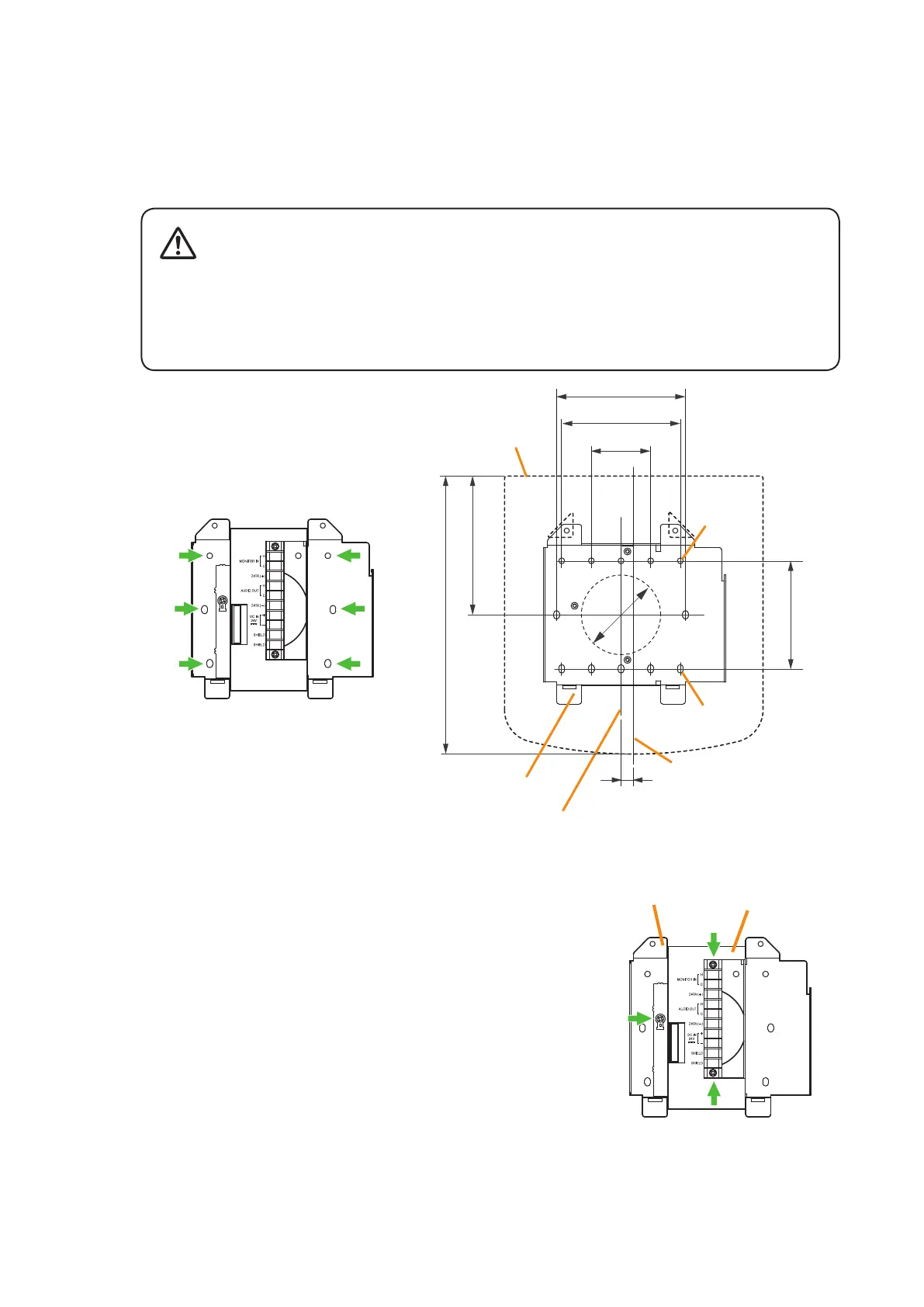
Step 1. Install the wall mount bracket unit supplied with the RM-200SF on the wall.
1-1. Installing directly on the wall
Install the unit on the wall using 2 screws or more depending on the installation location.
The RM-200SF comes with 2 tapping screws 4 x 25 for direct wall mounting.
• Install the unit only in a location that can structurally support the weight of the unit and the
mounting bracket. Doing otherwise may result in the unit falling down and causing personal
injury and/or property damage.
• Be sure to install the bracket on the wall using 2 or more screws.
WARNING
Wall mount bracket unit
for the RM-200SF
Wall mount bracket unit
(supplied with the RM-200SF)
RM-200SF
5-ø4.5
7-4.5 x 6.5
Wall mount bracket unit's center line
RM-200SF's center line
9.7
46
100
92
ø60
83.5
107.6
215
Notes
• Six mounting holes indicated by arrows in
the gure below can be used for securing.
• When securing the unit with 2 screws, be
sure to use a pair of holes located in the
middle of the Bracket A.
Unit: mm
1-2. Installing to a 1-gang electrical box
(1) Unscrew 3 screws (indicated by arrows in the gure at right)
that x the Bracket A to the Bracket B of the wall mount
bracket unit.
Wall mount bracket unit
(supplied with the RM-200SF)
Bracket A
Bracket B



 To Next Page