26
COMPONENT NAMES AND FUNCTIONS
(5) Function button
The display and functions of the function buttons are changed according to the dial functions and
modes. The display status and functions are described for each case in this chapter.
The five buttons from the left end and the eighth button at the right end are usually permanent but-
tons, and they have fixed functions.
When you use some of these buttons with the [Shift] switch, you can access other functions.
Permanent function buttons
• Function 1: [Step]
Changes the step for changing values when turning the dial to change data.
When the data to be changed is changed, the displayed button is also changed.
•
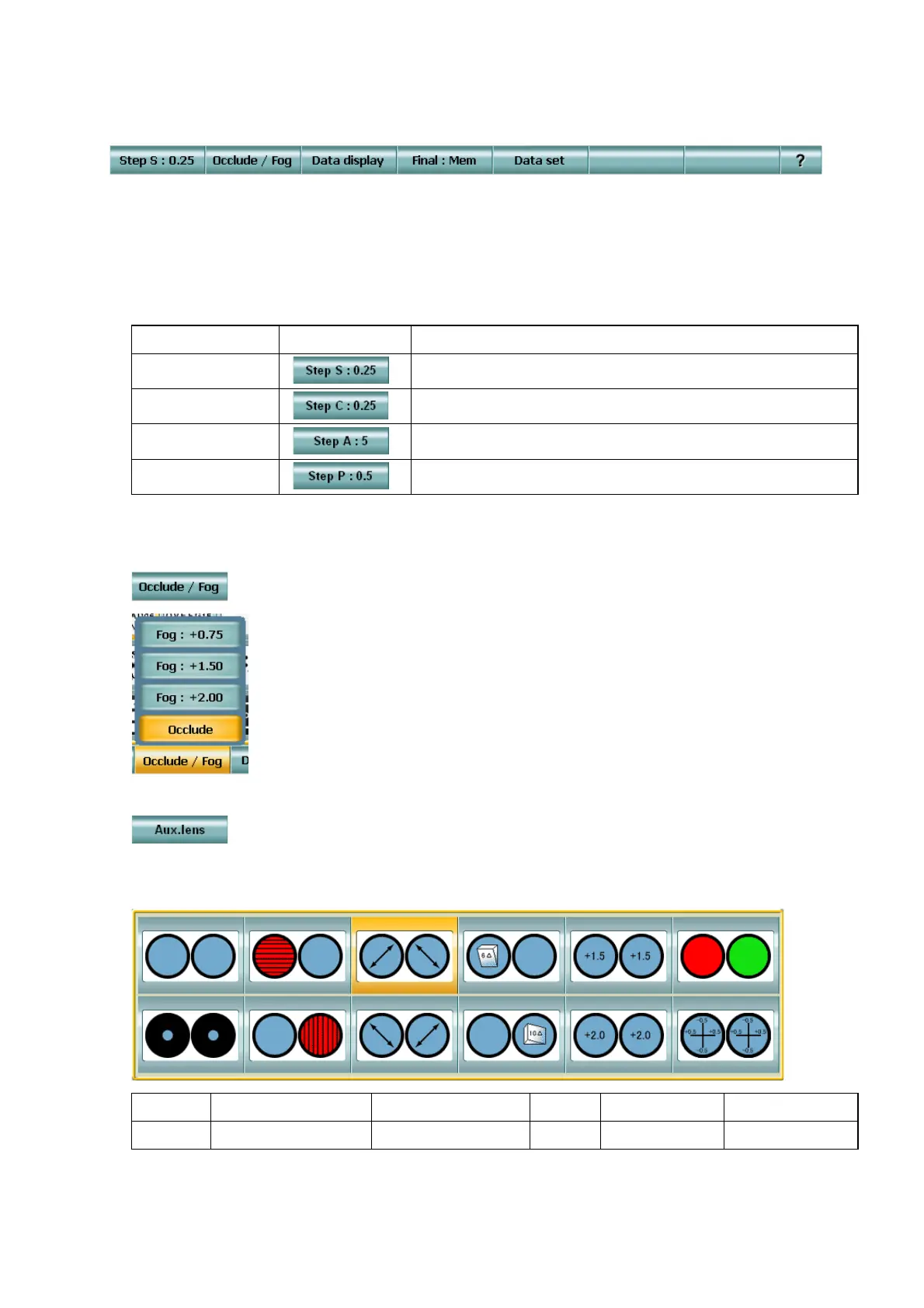
Function2: [Occlude / Fog]
Changes the type of the occlusion plate or fogging, which should be
used for the untested eye in monocular test.
Touch the [Occlude / Fog] button, and the menu is displayed.
• [Shift] + Function 2: [Aux. lens]
By using the [Shift] switch together, the function button 2 can work as the [Aux. lens] button.
Touch the [Aux. lens] button, and the auxiliary lens selection display appears.
The selected auxiliary lens is set to the CV-5000 and the auxiliary lens information is changed.
The auxiliary lens set here is used until other test is executed.
Data to be changed Example of display
Operation by touching
Spherical power Changes the step in order, "0.25 → 0.50 → 1.00 → 3.00".
Astigmatic power Changes the step in order, "0.25 → 0.50".
Astigmatic axis Changes the step in order, "1° → 5°".
Prism Changes the step in order, "0.1∆ → 0.5∆→ 1.0∆".
Open Horizontal Maddox Polarization (45°) 6∆BU Retino- (+1.5) Red/green filter
Pinhole Vertical Maddox Polarization (135°) 10∆BI Retino- (+2.0) CC lens (±0.5)



 To Next Page